Solution

AI Photo Filter to Transform Any Photo in One Tap

Pick a preset, tap once, and watch your photo take on a whole new mood, lighting, and character
Touch Retouch Available in TouchRetouch
TouchRetouch - AI Photo Filter to Transform Any Photo in One Tap
AI photo filter

Your Photo Has Potential. Let's Reveal It

You took the shot, but the mood isn’t quite right. The light feels flat, the color doesn’t pop, and editing by hand means hours of sliders. The TouchRetouch AI photo filter does that work for you. Browse the preset library, tap the look you want, and your photo gets a fresh style in seconds. No expertise needed, no pricey software, just finished looks designed by our team and ready to share
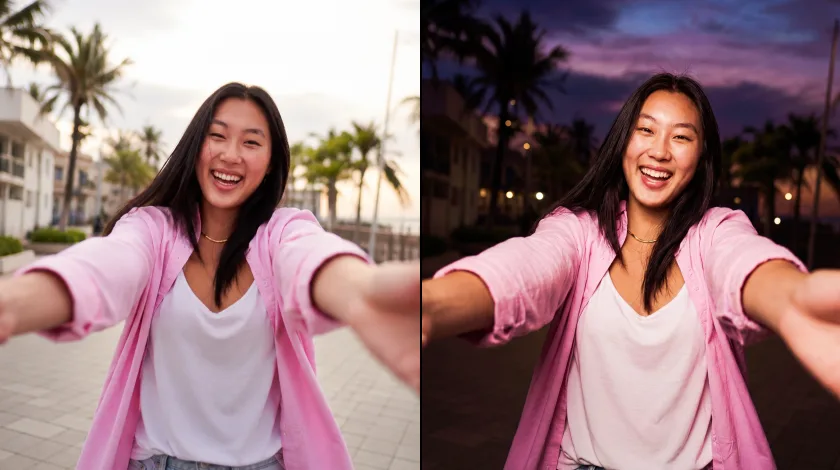
The TouchRetouch AI photo filter
Variants

Every Preset for Every Photo

For Business & E-commerce

Get studio-quality headshots, product shots, and brand visuals without booking a real studio. The Professional Photo preset is our take on professional headshot AI: drop in a casual snap and get back a polished result for LinkedIn, About pages, and sales decks. It also works as a LinkedIn headshot generator for new hires and founders. For e-commerce, the studio portrait AI lighting in our presets gives catalogs clean, even tones across the board.
Every Preset for Every Photo – For Business & E-commerce

For Social Media & Personal Photos
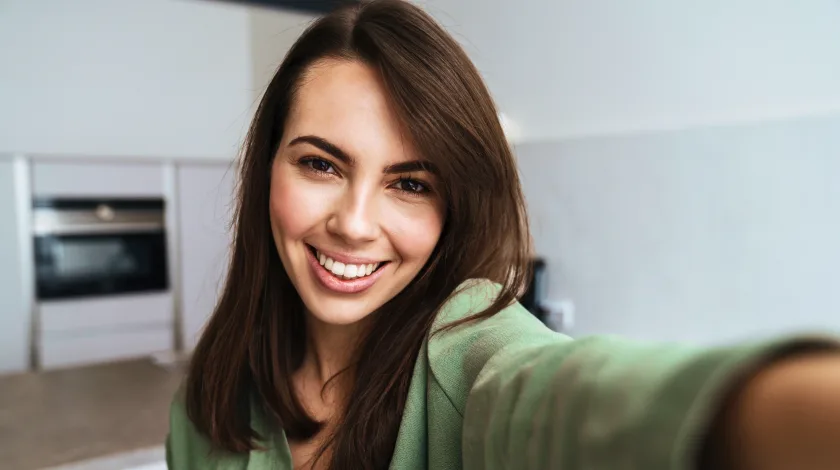
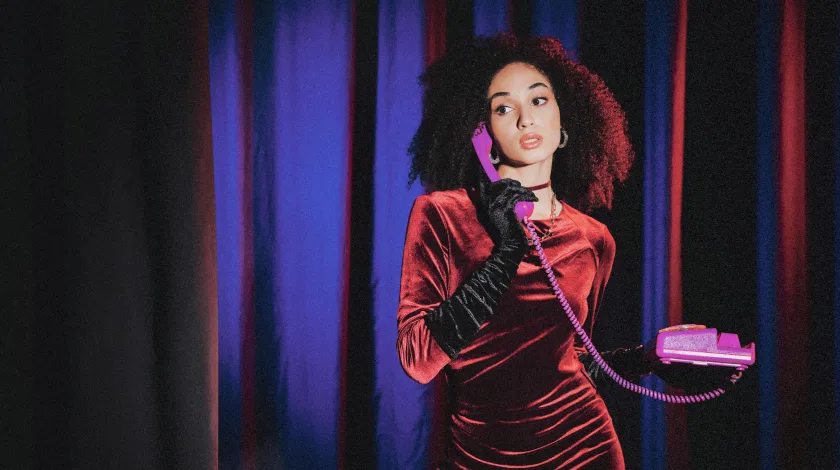
Want your feed to stand out? The Cinematic Portrait is a cinematic portrait AI that gives selfies and travel pics that movie-still glow. Want quiet luxury vibes? The old money aesthetic filter brings muted earth tones and soft contrast, like a magazine spread shot in the Hamptons. Each one-tap photo filter turns a casual snap into something curated. The same cinematic photo filter works on group shots and pet portraits too.
Every Preset for Every Photo – For Social Media & Personal Photos

For Professionals & Creatives
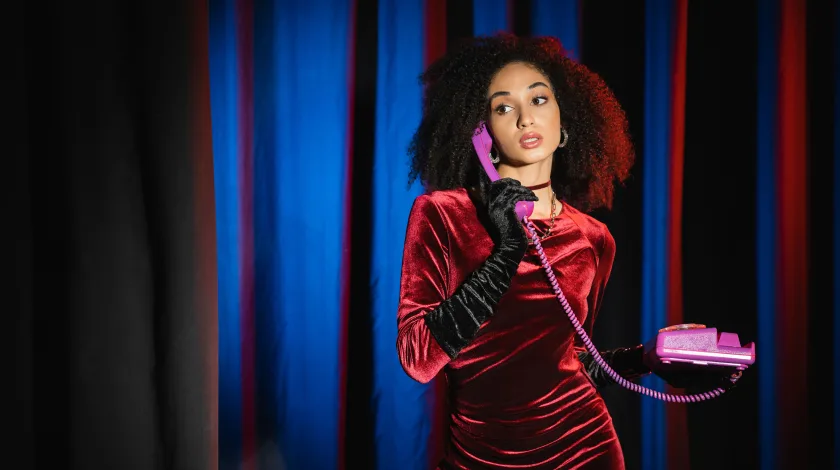
Photographers, designers, and content creators get a polished starting point before adding their own touch. The 18th-Century Retro Look is an 18th-century portrait AI styled after oil paintings and editorial spreads. Old Photo Restoration works as an AI photo restoration filter, bringing color and clarity back to faded scans. Our film photo filter AI adds grainy warmth to digital shots, and the vintage photo filter softens contrast for nostalgic series.
Every Preset for Every Photo – For Professionals & Creatives
Instructions

How It Works in Three Taps

01

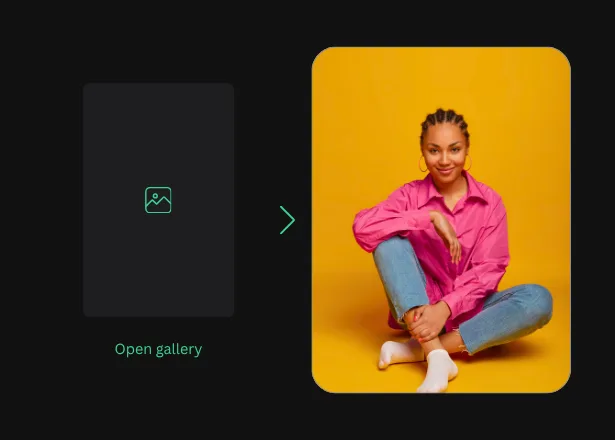
Open Your Photo

Open TouchRetouch and bring in any JPG, PNG, TIFF, or HEIC file from your photo library or cloud storage
Open Your Photo
02

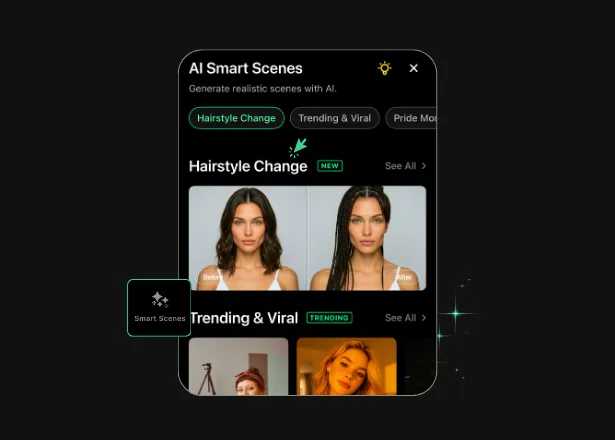
Choose Your Preset

Browse the AI photo presets, tap one you like, and preview the result on your photo before applying it in full resolution
Choose Your Preset
03

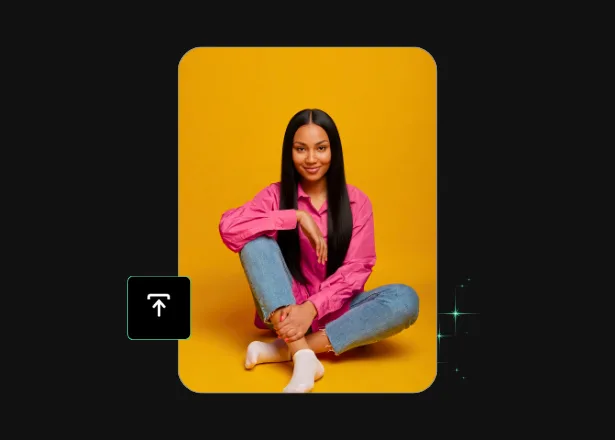
Save in High Quality

Export at full resolution and share to Instagram, LinkedIn, your portfolio, or back to your photo library. No watermarks added
Save in High Quality
Opportunities

More Than Just a Free AI Filter App

01

Advanced AI Technology

Our team designs and tunes every preset by hand, with regular drops of new AI photo presets and seasonal collections for holidays, summer light, and fall color. Each AI photo transformation looks natural, so your photo still feels like yours after the filter is applied.

02

Multiple Solutions in One App

TouchRetouch goes beyond filters. Remove Object erases clutter and unwanted people, Face Retouch refines portraits, Photo Enhancer sharpens detail in low-light shots, Background Remover lifts subjects cleanly, and Blemish Remover smooths skin without flattening texture. One app, every fix.

03

Mobile-First Experience

Built for phones from day one. The interface is thumb-friendly, previews load fast, and every one-tap photo filter works straight from your photo library. Full support across iOS and Android, with easy export to your favorite social apps.

04

Instant Professional Results

Every AI photo transformation finishes in seconds. No exports, no plug-ins, no learning curve. Our AI photo effects give you polished, share-ready results the moment you save, with the kind of quality that used to need a desktop editor and a paid retoucher.

Features

More Solutions

Add Person

Add Person

Explore
Insert person into photo on your phone — let AI place them with matching light and perspective in seconds
Explore
AI Expand

AI Expand

Explore
Reformat, reframe, and expand any photo with TouchRetouch's AI image extender on iOS and Android
Explore
Face Fix

Face Fix

Explore
Fix facial expression mishaps — a blink, a sneeze, a glance away — and save the shot in seconds on your phone
Explore
Restore Photo

Restore Photo

Explore
Bring fragile family memories back into focus with AI photo restoration — gentle, fast, and built for heirlooms
Explore
AI Edit

AI Edit

Explore
TouchRetouch's AI photo editor with text prompt lets you describe a change and apply it on your phone in seconds
Explore
AI Photo Editor

AI Photo Editor

Explore
Enjoy full and comprehensive photo editing with AI tools
Explore
Remove Glare

Remove Glare

Explore
Eliminate any unwanted light reflections and glare in your photos
Explore
Lines Remover

Lines Remover

Explore
Remove lines from your photos while maintaining a realistic look
Explore
360 Photo Editor

360 Photo Editor

Explore
Edit panoramic photos easily with user-friendly 360 tools
Explore
Add Shadow

Add Shadow

Explore
Add depth to your photos with realistic shadows for objects
Explore
AI Photo Editor

AI Photo Editor

Explore
Enjoy full and comprehensive photo editing with AI tools
Explore
Blemish Remover

Blemish Remover

Explore
Remove any blemishes, minor imperfections, or acne on the skin
Explore
Photo Resizer

Photo Resizer

Explore
Easily and effortlessly change the size and resolution of your photos
Explore
Blur Background

Blur Background

Explore
Add an artistic touch to your photos by blurring the background
Explore
Photo Enhancer

Photo Enhancer

Explore
Enhance photos with brightness, clarity, and contrast adjustments
Explore
Background Remover

Background Remover

Explore
Remove the background, leaving only the object you need in the photo
Explore
Face Retouch

Face Retouch

Explore
Eliminate imperfections and smooth your skin for a flawless look
Explore
Remove Unwanted Objects

Remove Unwanted Objects

Explore
Instantly remove unwanted objects, items, and people from your photos
Explore
Reviews

Trusted by Photographers and Everyday Creators

For 15+ years, ADVA Soft has built photo editing apps used by millions of people on iOS and Android. Here's what some of them say about working with our AI photo effects
Jacotte55, France I love the additions in the latest version of Retouch, especially when it comes to portraits. We can remove wrinkles, pimples, whiten the eyes and teeth, etc… Good for morale. And the big new feature of Smart Scenes, which avoids the use of AI and allows you to have fun with lots and lots of possibilities. I become a princess or a star. I like Retouch more and more. Jacotte55, France, 2026-03-26
FAQ

AI Photo Filter Frequently Asked Questions

What is an AI photo filter and how does it work?

An AI photo filter is a preset trained to apply a specific look (cinematic, professional, vintage, or restored) to your image in one tap. The AI reads your photo’s lighting, subject, and color, then adjusts tones and contrast to match the chosen style. Think of it as an AI style transfer effect: you pick the destination look, and the app does the work. Each cinematic photo filter or retro photo filter in the library gives a clear, distinct mood with no manual editing.

How is TouchRetouch different from a standard photo editor?

Standard editors hand you sliders and ask you to be the artist. TouchRetouch gives you finished looks designed by our team and powered by AI, then lets you fine-tune the result if you want. With 15+ years of building photo editing apps, we’ve focused on the shortest path from raw photo to polished result. Everything runs on your phone, not your desktop.

What types of images and file formats are supported?

TouchRetouch works with JPG, PNG, TIFF, and HEIC files on both iOS and Android. RAW files are not supported. You can open phone photos, screenshots, and printed photos straight from your photo library or cloud storage. To restore an old printed photo, snap it with your phone camera in good light or import a scan, then apply the Old Photo Restoration preset.

Are my photos kept private?

Your photos belong to you. TouchRetouch complies with App Store, Google Play, GDPR, and CCPA standards, and we only use your photos to deliver the filter you picked.

Can I try TouchRetouch for free?

Yes, you can try a 3-day free trial with all premium features unlocked.

How often do new filters get added?

We refresh the library regularly with new presets, including seasonal collections tied to holidays, summer light, and fall color. Once a preset lands in the app, it stays there, so you can come back to any AI style transfer look whenever a project calls for it.

Ready to give every photo a new identity? TouchRetouch Download Now

Install TouchRetouch on your smartphone and start your free trial today
Smart tools to clean up photos with ease
Smart tools to clean up photos with ease TouchRetouch Smart tools to clean up photos with ease Start free 3-day trial