Solution

Restore Photo

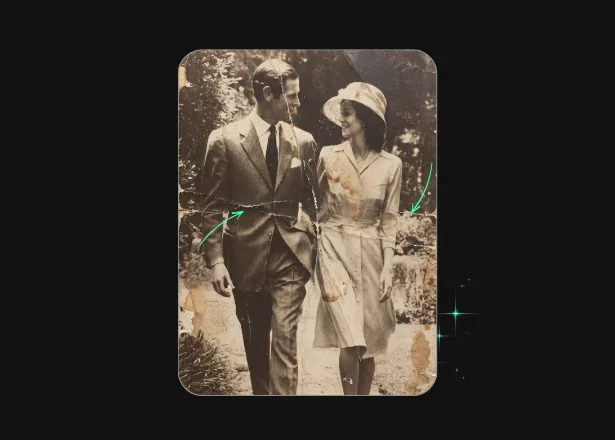
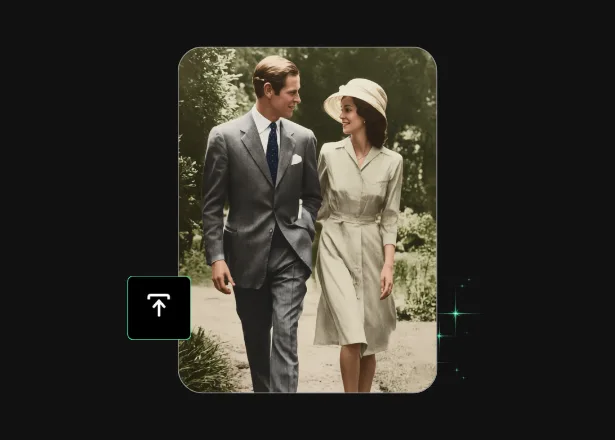
Bring fragile family memories back into focus with AI photo restoration — gentle, fast, and built for heirlooms
Touch Retouch Available in TouchRetouch
TouchRetouch - Restore Photo
AI photo restoration

Give Those Fading Family Photos a Second Chance

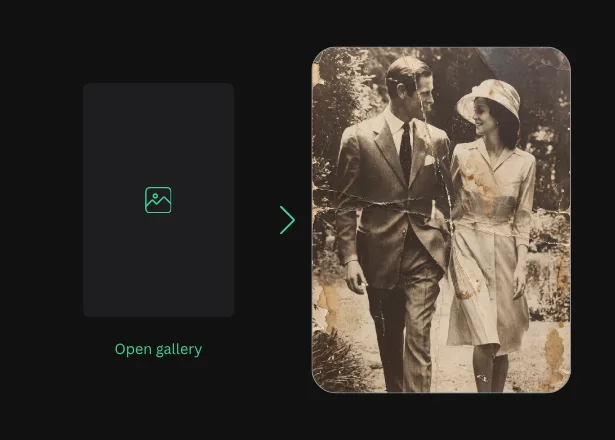
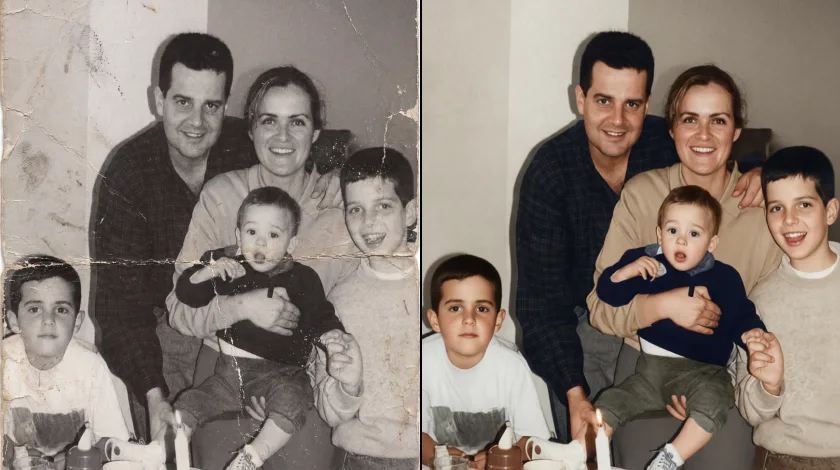
That shoebox of scratched, faded, and torn prints holds people you love — and time isn’t kind to them. TouchRetouch makes AI photo restoration approachable on your phone: repair tears and surface damage, lift faded tones, sharpen soft details, and even add gentle color to black-and-white memories. In three quick taps and about a minute, the photo you nearly lost is ready to print, frame, or share with the whole family. No desktop software, no scanner-shop fees, no week-long turnaround — just your phone.
AI photo restoration
Variants

One Restoration App for Every Old Photo

Business & E-commerce
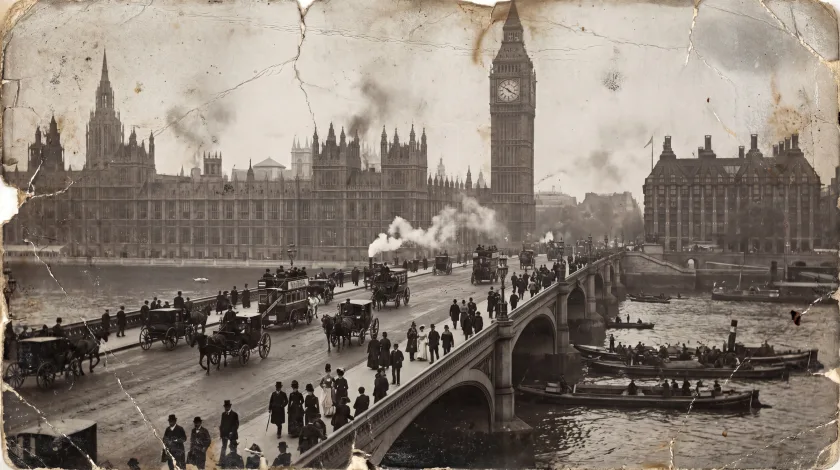
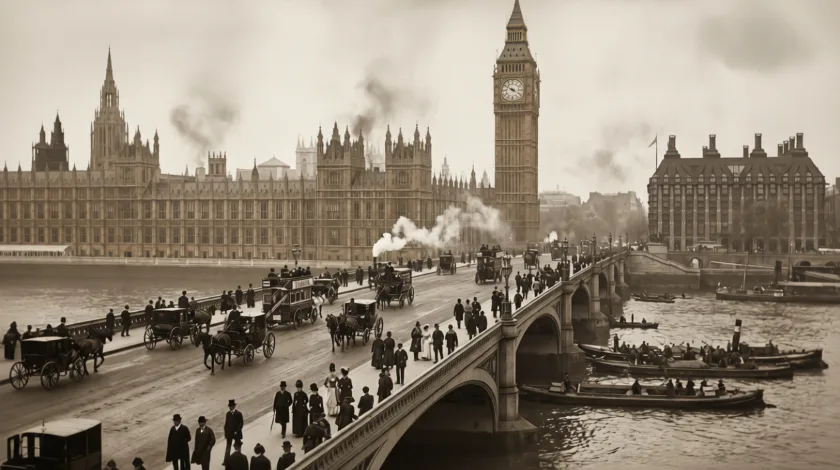
Genealogy services, antique dealers, and estate-sale specialists rely on visual storytelling. Restore old photos from family archives to enrich client research, polish provenance images of vintage items, or refresh historic property photos for listings. The output is a clearer, presentable image of a piece's history — useful for client decks and printed catalogs, though not intended as forensic, archival-grade, or evidentiary documentation.
Restore Photo – For Business & E-commerce

Social Media & Personal Photos
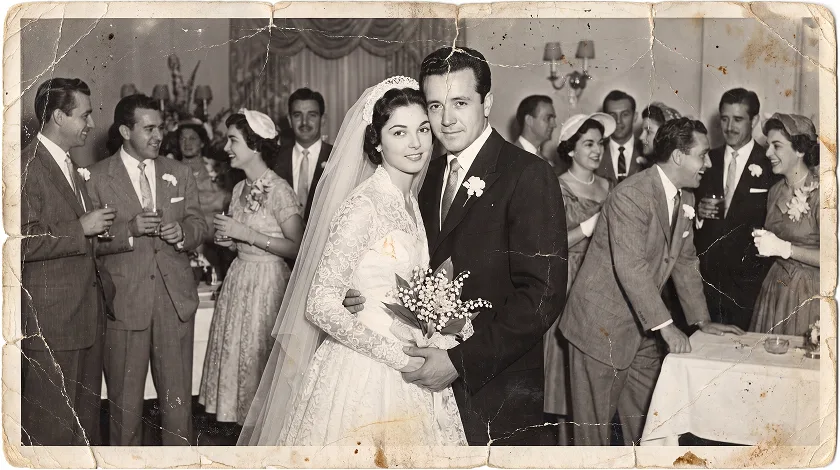
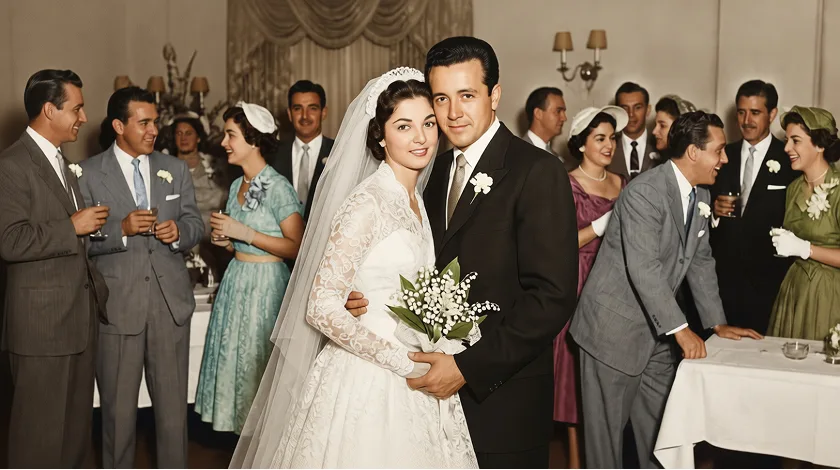
This is the heart of what Restore Photo is for. Open the inherited album or scan a grandparent's wedding portrait. The app can repair damaged photos with care, lift fading, and sharpen soft detail. It can also bring old photos back to life — the photograph itself, not the person — so the print is ready for a memorial slideshow, an anniversary gift, or a family reunion. Preserve the image; remember the person.
Restore Photo – Social Media & Personal Photos

Professionals & Creatives
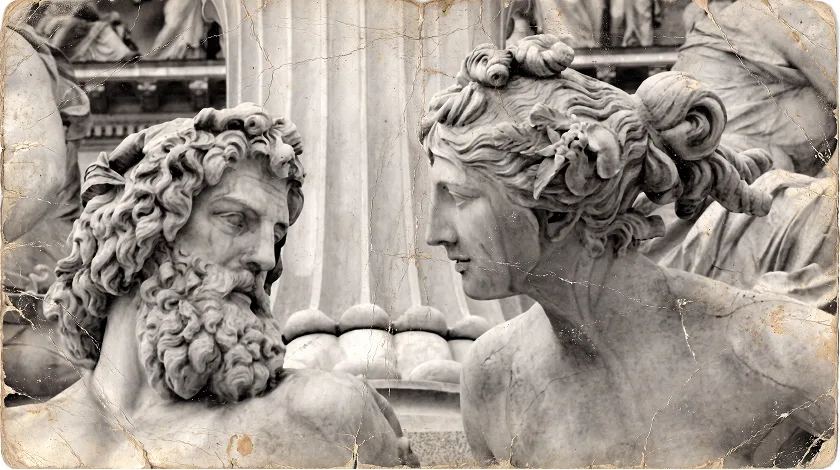
Archivists, local-history project leads, genealogy researchers, and scrapbookers fold restoration into regular workflow. Photographers can fix old photos for clients without firing up desktop software. The whole job happens on your phone, so you can turn around a delivery between sessions or work beside a museum visit. (Results are interpretive restorations for personal and creative use — not archival-grade reproductions.)
Restore Photo – Professionals & Creatives
Instructions

How It Works

01

Scan or snap your old photo

Lay the print flat under good light and capture it with your phone camera, or pull in an existing scan from your gallery
Scan or snap your old photo
02

Pick what to restore

Choose what to fix — scratches and tears, fading, blur, sharpness, or colorize black and white photos with a single tap
Pick what to restore
03

Save and share in high quality

Preview the result in about a minute. Save the restored copy, share it with family, print it, or post it. The original file stays untouched
Save and share in high quality
Opportunities

More Than a Photo Editor

01

Advanced AI Technology

Advanced AI can repair faded photos, mend scratches, and reconstruct worn-out patches. It rebuilds damaged areas and picks plausible colors for black-and-white scans — interpretive enhancement, not original-data recovery, so your image becomes clear and shareable.

02

Multiple Solutions in One App

One app, many tools: Remove Object clears clutter; Photo Enhancer sharpens and upscales modern photos (not damage repair); Background Remover isolates subjects; Face Retouch refines portraits; and Blemish Remover handles skin touch-ups, not print scratches.

03

Mobile-First Experience

Restoration that used to mean desktop software now fits in your pocket. Enhance old photos at the kitchen table while you scan the album, or beside the relative who can name everyone in the picture. Pinch to zoom, tap to fix, swipe to compare.

04

Studio-Quality Results

Fifteen-plus years of building photo editing apps show in the output: natural tones, clean repair work, and detail that holds up at family-album print sizes. Restored copies are ready to frame, gift, and share. A fragile heirloom scan deserves a steady hand.

Features

More Solutions

Add Person

Add Person

Explore
Insert person into photo on your phone — let AI place them with matching light and perspective in seconds
Explore
AI Expand

AI Expand

Explore
Reformat, reframe, and expand any photo with TouchRetouch's AI image extender on iOS and Android
Explore
AI Photo Filter

AI Photo Filter

Explore
Pick a preset, tap once, and watch your photo take on a whole new mood, lighting, and character
Explore
Face Fix

Face Fix

Explore
Fix facial expression mishaps — a blink, a sneeze, a glance away — and save the shot in seconds on your phone
Explore
AI Edit

AI Edit

Explore
TouchRetouch's AI photo editor with text prompt lets you describe a change and apply it on your phone in seconds
Explore
AI Photo Editor

AI Photo Editor

Explore
Enjoy full and comprehensive photo editing with AI tools
Explore
Remove Glare

Remove Glare

Explore
Eliminate any unwanted light reflections and glare in your photos
Explore
Lines Remover

Lines Remover

Explore
Remove lines from your photos while maintaining a realistic look
Explore
360 Photo Editor

360 Photo Editor

Explore
Edit panoramic photos easily with user-friendly 360 tools
Explore
Add Shadow

Add Shadow

Explore
Add depth to your photos with realistic shadows for objects
Explore
AI Photo Editor

AI Photo Editor

Explore
Enjoy full and comprehensive photo editing with AI tools
Explore
Blemish Remover

Blemish Remover

Explore
Remove any blemishes, minor imperfections, or acne on the skin
Explore
Photo Resizer

Photo Resizer

Explore
Easily and effortlessly change the size and resolution of your photos
Explore
Blur Background

Blur Background

Explore
Add an artistic touch to your photos by blurring the background
Explore
Photo Enhancer

Photo Enhancer

Explore
Enhance photos with brightness, clarity, and contrast adjustments
Explore
Background Remover

Background Remover

Explore
Remove the background, leaving only the object you need in the photo
Explore
Face Retouch

Face Retouch

Explore
Eliminate imperfections and smooth your skin for a flawless look
Explore
Remove Unwanted Objects

Remove Unwanted Objects

Explore
Instantly remove unwanted objects, items, and people from your photos
Explore
Reviews

What Our Users Say

Families and creators have used TouchRetouch to bring back photos they thought were past saving — wedding portraits, ancestor pictures, scrapbook pages, and more. Here's a sample of the stories we've heard
Very good app. It helped me restore some old photos. Loscar2k, Mexico, 2026-04-14
Very good app. Colorizing old photos would be great. Franki 1811, Germany, 2026-04-27
FAQ

Restore Photo Frequently Asked Questions

What does Restore Photo do?

Restore Photo opens a digital copy of an old, damaged, or faded print and runs an AI restoration pass. It can fix scratched and torn photos, smooth out creases, lift years of fading, sharpen soft detail, and pull back features in faces that have gone fuzzy with time. With one tap, it can also colorize black and white photos. You pick the fixes you want to apply — light cleanup on a near-pristine photo, or a full pass on something the dog chewed in 1987. The original file in your camera roll stays untouched; the restored version saves as a new copy you can keep, share, or print. Most photos take about a minute to process.

How is TouchRetouch different from a standard photo editor?

A standard photo editor sharpens, crops, adjusts exposure, and tweaks color — useful tools for fresh shots, and exactly what our Photo Enhancer is designed for. Restore Photo is built for the opposite problem: rescuing old, damaged, or faded prints that have been sitting in a drawer or album for decades. Its AI photo restorer tools undo years of wear — scratches, tears, foxing, fade, blur — rather than polishing a photo taken on your phone yesterday. The two features are intentionally separate. If your shot is from this morning, reach for Photo Enhancer. If it’s from 1962, reach for Restore Photo.

What image formats are supported?

TouchRetouch accepts JPG, PNG, HEIC, and TIFF. The input needs to be a digital image — a flatbed scan, a phone photo of the print laid flat under good light, or a previously digitized file from your gallery. The app works on image files, not physical prints, so digitize the photo first. A higher-resolution scan gives the AI more to work with and tends to produce a cleaner restoration. For most family-album work, a steady phone photo in daylight is enough. If you only have one fragile copy of a print, it’s worth scanning at the highest setting you can — that gives Restore Photo the most detail to draw on, and protects the original by limiting how often it has to be handled.

Can I try TouchRetouch for free?

Yes, you can try a 3-day free trial with all premium features unlocked.

Are the colors in a colorized photo the original colors?

No — and this is worth knowing before you share or print the result. When the AI adds color to a black-and-white photo, it’s making plausible, natural-looking choices based on what it can guess from the scene — grass, skin tones, sky, common clothing colors — not recovering what was truly in front of the camera. Grandma’s dress may have been red; the AI might render it blue. The same applies to badly torn, missing, or destroyed areas: the AI reconstructs plausible content rather than recovering lost detail. The result is a beautiful, shareable restoration of the image — not a historical record of the scene. For personal use, family albums, gifts, and prints, that’s almost always what you want. For academic, archival, or evidentiary work, it isn’t the right tool.

Will the restored photo look perfect?

You can restore old photos to a natural-looking, polished state — ready to print, frame, share, and preserve in family albums. The app can repair damaged photos so faces and surfaces read clearly. It can restore blurry old photos with detail recovery too. That said, heavy damage may still leave subtle traces, and we won’t promise the result is indistinguishable from a pristine original. The goal is a clear, beautiful version of the picture, suitable for the album shelf and the family group chat. Use Restore Photo on the personal photos in your collection — the ones you own, inherited, or were given. Your scans are handled in line with App Store, Google Play, and applicable data-protection rules, so your family photos stay protected.

Some memories are worth a second chance

Open TouchRetouch and let the photos in your family’s albums — the wedding portraits, the grandparents you never met, the cracked print at the bottom of the shoebox — shine again.
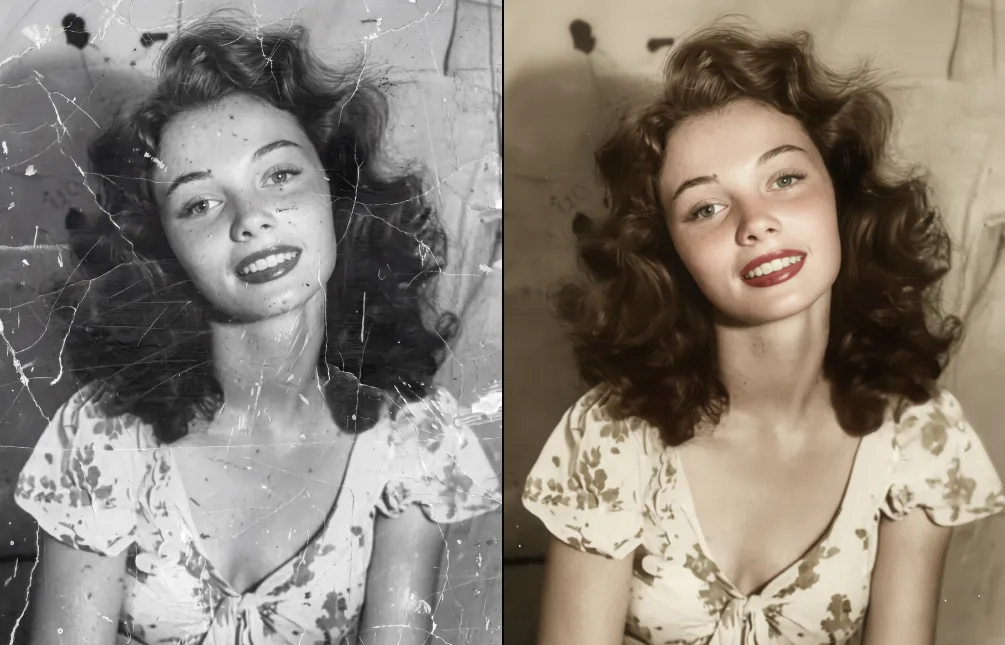
Restore Photo

Ready to Transform Your Photos? TouchRetouch Download Now

Install TouchRetouch on your smartphone and become a pro in photo editing
Smart tools to clean up photos with ease
Smart tools to clean up photos with ease TouchRetouch Smart tools to clean up photos with ease Restore My Photo