Solution

Add Person

Insert person into photo on your phone — let AI place them with matching light and perspective in seconds
Touch Retouch Available in TouchRetouch
TouchRetouch - Add Person
Insert person into photo in seconds

When someone's missing from the moment

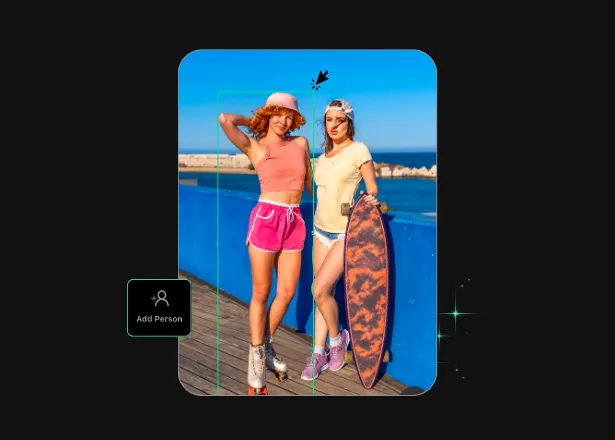
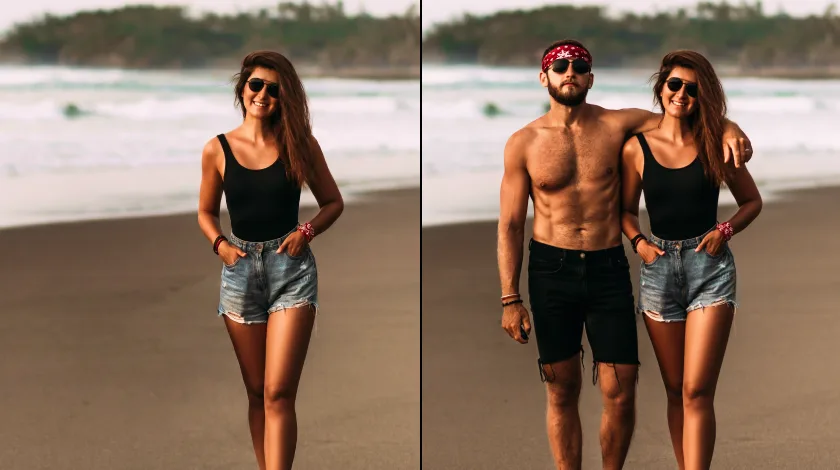
You finally got everyone in one frame — except the one person who couldn’t make it. Maybe your sister was stuck at work, your dad was behind the camera, or you weren’t there yourself. TouchRetouch lets you insert person into photo in seconds. Open the image, mark where they belong, describe them or drop in a reference shot, and AI blends them in with matched lighting and perspective. Add yourself to any photo where you were behind the camera. Or add someone to a picture you wish you’d been in — no design skills needed.
When someone's missing from the moment
Variants

Enhance Every Photo for Every Purpose

Business & E-commerce

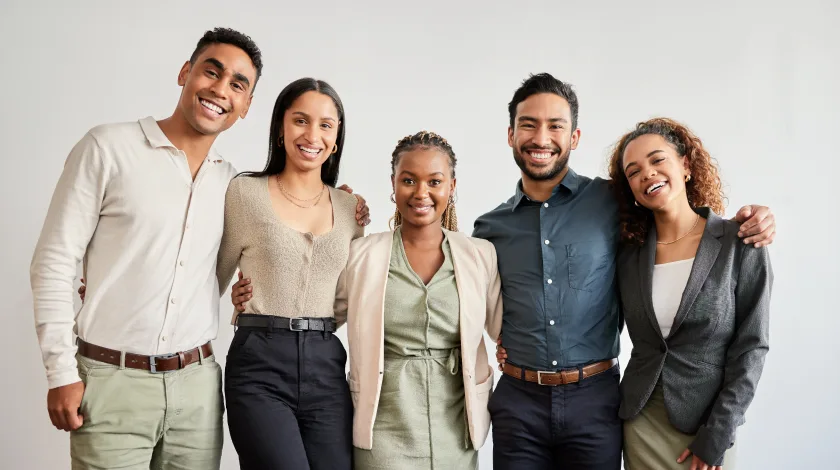
Need a team shot for the About page when half the company works remote? Use the AI group photo generator to drop a new hire into the existing staff lineup, or stage a model with your product in a setting you'd otherwise pay to shoot. You can also combine two photos with people who were never in the same room. AI photo compositing keeps shadows, color, and scale believable so your marketing assets look intentional, not patched together.
Add Person – For Business & E-commerce

Social Media & Personal Photos

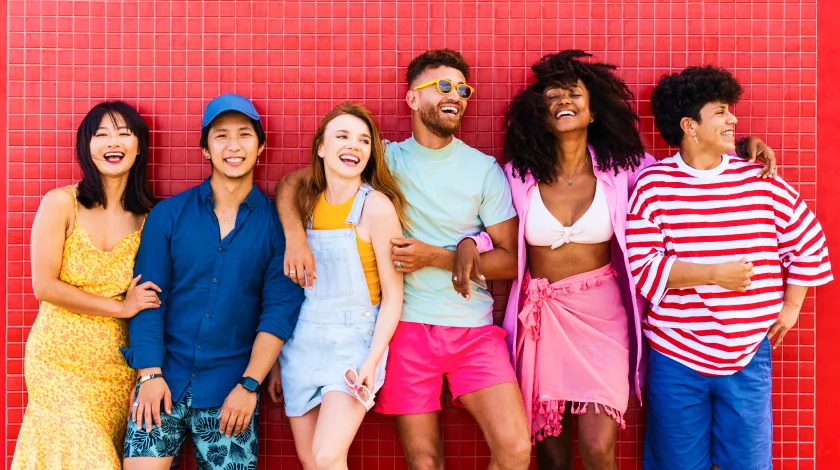
A holiday photo without your best friend doesn't have to stay that way. Add friend who couldn't make it to a picture from the trip and share the keepsake with them — a quiet way to say we missed you. You can also insert person into travel photo memories from years ago, helping your group reconstruct a moment together. It's a personal token, not something to pass off as the original.
Add Person – Social Media & Personal Photos

Professionals & Creatives

Concept artists, photographers, and content creators use the AI group photo generator to mock up scenes quickly — sketch a setting, drop in stand-in figures, and refine before a paid shoot. Editors fixing a portrait where someone blinked or stepped out of frame can drop a colleague back in. Wedding and event creatives can rebuild moments the lens missed without restaging an entire gallery.
Add Person – Professionals & Creatives
Instructions

Three steps to a believable composite

01

Pick your photo and the spot

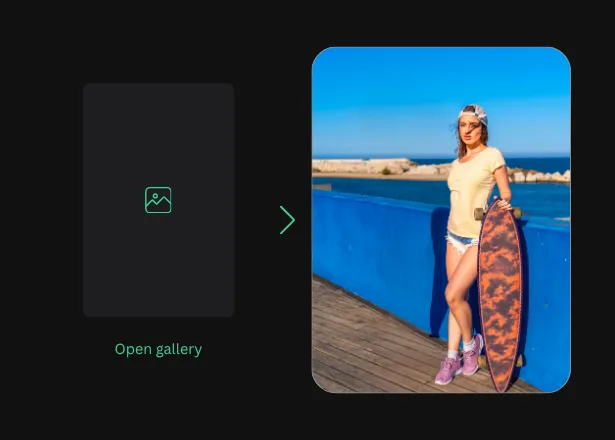
Open your base image in TouchRetouch, then tap or outline the area where the new person should appear
Pick your photo and the spot
02

Describe who you want to add

Type a short prompt — height, clothing, pose — or upload a reference photo so AI can match the right face and frame
Describe who you want to add
03

Save and share in high quality

Review the result, refine any edge, and export in full resolution to your camera roll or straight to your favorite app
Save and share in high quality
Opportunities

More Than a Photo Editor

01

Advanced AI Technology

TouchRetouch uses advanced AI models to read depth, light direction, and skin tones in your base image, then composite a new figure that respects all three. You get an AI photo composite with realistic lighting rather than a cut-and-paste sticker.

02

Multiple Solutions in One App

One subscription unlocks the full studio: Remove Object, Face Retouch, Background Remover, Photo Enhancer, Blemish Remover, and AI Photo Editor — sibling tools that pair naturally with Add Person whenever a photo needs more than one fix.

03

Mobile-First Experience

Built for iOS and Android, every tool fits comfortably under your thumb. Add someone to a picture from your couch, on the train, or right after a shot — no laptop, no plugin chain, no exports between apps. Please add only people who have consented, or yourself.

04

Studio-Quality Results

Fifteen-plus years of building photo editing apps shows in the output: AI photo compositing that holds up at full export size, with shadow matching and color balance that suits social posts, prints, and client mockups alike.

Features

More Solutions

AI Expand

AI Expand

Explore
Reformat, reframe, and expand any photo with TouchRetouch's AI image extender on iOS and Android
Explore
AI Photo Filter

AI Photo Filter

Explore
Pick a preset, tap once, and watch your photo take on a whole new mood, lighting, and character
Explore
Face Fix

Face Fix

Explore
Fix facial expression mishaps — a blink, a sneeze, a glance away — and save the shot in seconds on your phone
Explore
Restore Photo

Restore Photo

Explore
Bring fragile family memories back into focus with AI photo restoration — gentle, fast, and built for heirlooms
Explore
AI Edit

AI Edit

Explore
TouchRetouch's AI photo editor with text prompt lets you describe a change and apply it on your phone in seconds
Explore
AI Photo Editor

AI Photo Editor

Explore
Enjoy full and comprehensive photo editing with AI tools
Explore
Remove Glare

Remove Glare

Explore
Eliminate any unwanted light reflections and glare in your photos
Explore
Lines Remover

Lines Remover

Explore
Remove lines from your photos while maintaining a realistic look
Explore
360 Photo Editor

360 Photo Editor

Explore
Edit panoramic photos easily with user-friendly 360 tools
Explore
Add Shadow

Add Shadow

Explore
Add depth to your photos with realistic shadows for objects
Explore
AI Photo Editor

AI Photo Editor

Explore
Enjoy full and comprehensive photo editing with AI tools
Explore
Blemish Remover

Blemish Remover

Explore
Remove any blemishes, minor imperfections, or acne on the skin
Explore
Photo Resizer

Photo Resizer

Explore
Easily and effortlessly change the size and resolution of your photos
Explore
Blur Background

Blur Background

Explore
Add an artistic touch to your photos by blurring the background
Explore
Photo Enhancer

Photo Enhancer

Explore
Enhance photos with brightness, clarity, and contrast adjustments
Explore
Background Remover

Background Remover

Explore
Remove the background, leaving only the object you need in the photo
Explore
Face Retouch

Face Retouch

Explore
Eliminate imperfections and smooth your skin for a flawless look
Explore
Remove Unwanted Objects

Remove Unwanted Objects

Explore
Instantly remove unwanted objects, items, and people from your photos
Explore
Reviews

What Our Users Say

Real photographers, families, and small business owners shape every release. Here's how Add Person is fitting into their workflows
Add Person Tool — This feature is absolutely amazing 👏 tdfcja, UK, 2026-04-24
Your two new Beta features (Add Person & Text to Image Edit) are awesome — really great job. Bunhole djfjdjxbdj, US, 2026-04-03
Add people. Excellent. Congratulations, app. ninitafo, Mexico, 2026-04-07
FAQ

Add Person Frequently Asked Questions

What does Add Person do, and how does it work?

Add Person lets you composite a new figure into an existing photo. Open the image, mark the spot, then describe the person or upload a reference. AI handles lighting, perspective, and scale so the new figure sits naturally in the scene.

How is TouchRetouch different from a standard photo editor?

A standard editor gives you brushes and layers. TouchRetouch pairs them with AI shortcuts for jobs that used to eat your evening — add missing person to group photo edits, blemish cleanup, background swaps — all in seconds, all on your phone.

What types of images and formats are supported?

TouchRetouch works with JPG, PNG, TIFF, and HEIC straight from your camera roll. Results export at full original resolution so you can print, post, or hand them to a client. Photos are handled in line with App Store, Google Play, and applicable data-protection rules.

Can I try TouchRetouch for free?

Yes, you can try a 3-day free trial with all premium features unlocked.

Can I add anyone to a photo?

Add Person is built for personal projects with people who have given their consent, or with yourself. A common gentle use is to add deceased loved one to photo memories — including a relative in a recent family shot as a keepsake. Please don’t use it to insert public figures, fabricate situations involving others, or pass an edit off as a real photo to third parties.

How realistic will the result look?

Edits come out natural and believable for personal and creative use. We don’t promise a composite that’s undetectable, indistinguishable from the original, or suitable for legal, journalistic, or identity contexts. Review every result before sharing, and treat it as an edit, not a record.

Is there a step-by-step guide to adding a person to a photo?

Yes. The AI photo editor add person guide explains what these tools can do and how to refine the result in TouchRetouch.

Ready to fill in the missing person? TouchRetouch Download Now

Try TouchRetouch on iOS or Android and see your missing moment come together
Smart tools to clean up photos with ease
Smart tools to clean up photos with ease TouchRetouch Smart tools to clean up photos with ease Start 3-day free trial