If you are comparing an ai photo editing app, the fastest way to choose well is to match the tool to the exact photo task you want to solve. Most people are not looking for “AI” in the abstract. They want a photobomber gone, a fence removed, a portrait background replaced, or a selfie polished without looking fake.
That is why this guide focuses on real editing jobs instead of random feature lists. Some apps are broad editors with lots of controls, while others are specialists built for one kind of result. Knowing that difference helps you avoid paying for tools you will never use.
What AI photo editing means for everyday users
What counts as AI editing in a photo app
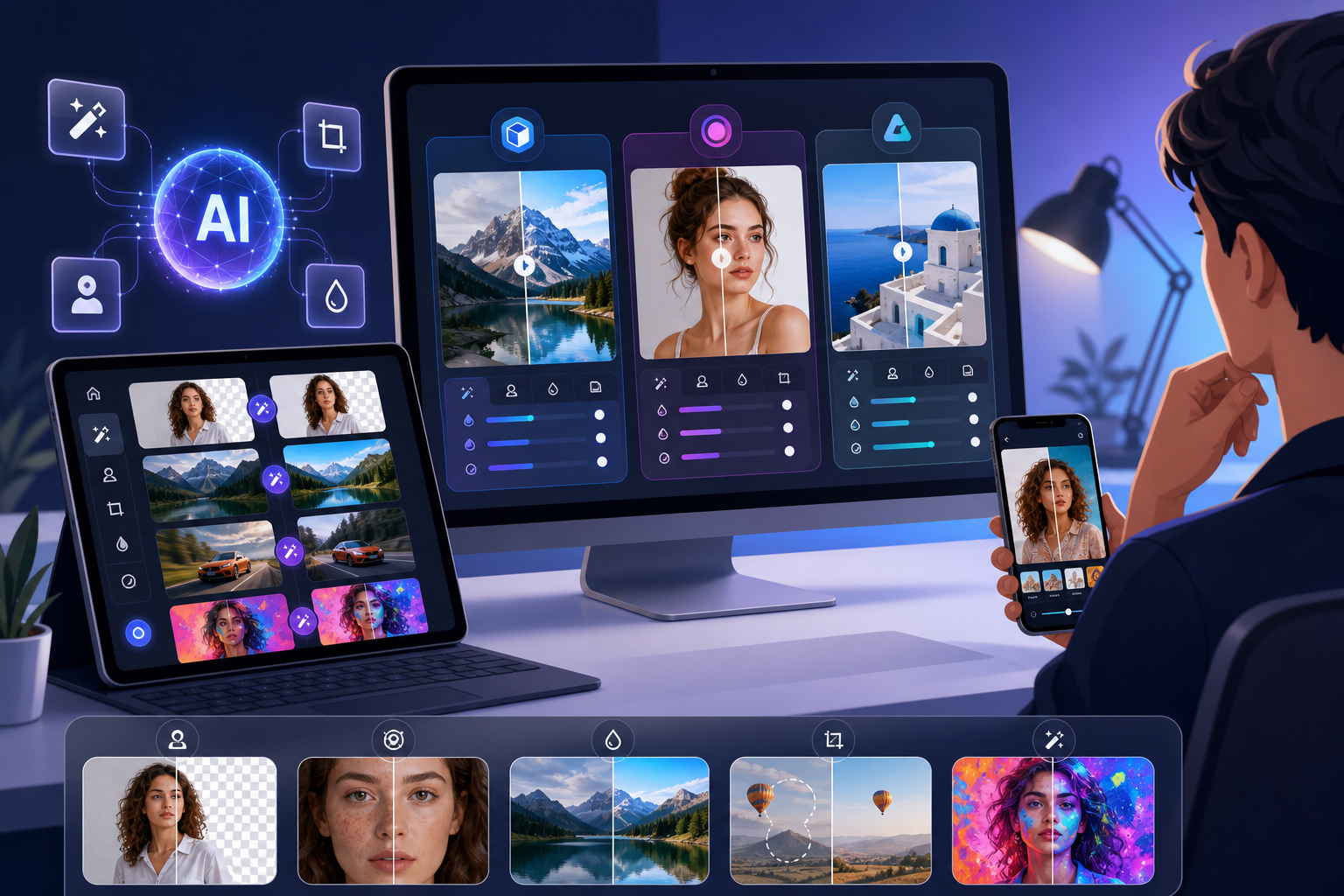
For everyday users, AI editing usually means software that helps detect, select, remove, retouch, blur, or transform parts of a photo automatically or semi-automatically. In practical terms, these ai photo editing tools help with common fixes such as removing a street sign from a travel shot or softening skin in a portrait.
That is different from text-to-image generation. Some people search for ai photo editing prompts, but prompt-based image creation is only one branch of AI imaging. Many useful edits do not require prompts at all because the goal is to improve an existing photo, not generate a new one from scratch.
How AI tools differ from manual sliders and brushes
Traditional editing relies on manual sliders, masks, and brushes that you control step by step. AI features reduce that effort by identifying subjects, distractions, backgrounds, or facial areas for you. The result is less tapping and more direct problem-solving.
Still, AI is not magic. Results depend on scene complexity, image resolution, and background texture. A plain blue sky behind a power line is easier to repair than a crowded market scene with repeating patterns and overlapping details.
Why task-based editing matters more than feature lists
Feature lists can make every editor sound similar, but they are not. Some apps are specialists for one job, while others try to cover many editing categories at once. If your real need is object cleanup, a specialist often makes more sense than a general app with dozens of unrelated controls.
TouchRetouch focuses on editing existing photos on mobile devices, especially object removal and retouching, rather than text-to-image generation. It is developed by ADVA Soft GmbH in Berlin, Germany, and designed for iOS and Android.
The main types of AI edits and which tool category fits each one
Removing distractions, people, wires, and fences
One of the biggest reasons people download ai photo editing software is cleanup. This includes removing photobombers from a beach photo, taking power lines out of a skyline, erasing a trash can from a street scene, or getting rid of a fence in front of an animal shot.
For these jobs, specialist apps are often the best fit because precision matters more than having a huge menu of effects. TouchRetouch is built around this type of work, with tools for Remove Objects, Erase AI, Person Removal, Line Removal, Mesh Removal, and Clone Stamp refinement.
Changing or replacing the background
Another common task is background editing. You may want to replace a messy room behind a portrait, swap in a cleaner backdrop for a product photo, or add blur to make the subject stand out more clearly.
In this category, a tool with dedicated background removal and replacement is more useful than a general editor that only offers rough cutouts. TouchRetouch includes Backgrounds for automatic background removal and replacement using built-in presets or your own image, plus background blur options.
Portrait touch-ups that still look natural
Portrait editing is where many users get disappointed, because some apps push faces into an artificial, over-smoothed look. If your goal is subtle enhancement, you need a tool that is designed to preserve natural features rather than flatten them.
TouchRetouch includes Natural FaceRetouch for smoothing skin, brightening eyes, enhancing a smile, reducing wrinkles on the face and neck, evening skin tone, and adding eye highlighting. The focus is on a natural result, not a dramatic makeover.
Scene transformations and creative looks
Some people are less interested in cleanup and more interested in changing the mood of an existing image. That can mean applying a new visual style to a portrait, changing the overall scene feel, or trying a different look for social content.
This is where scene transformation tools matter. TouchRetouch includes Smart Scenes, which applies AI-powered transformations to an existing photo. It is not text generation, and it does not rely on prompts. It changes the look of a photo you already have.
When batch workflows matter more than single-image precision
Sometimes the real need is not one perfect edit but a faster workflow across many images. If you edit product photos, event shots, or repeated social content, batch processing can matter more than one-by-one retouching.
That is where Batched becomes the better fit. It is the relevant choice when your priority is batch photo editing workflows rather than detailed cleanup on individual photos. By contrast, TouchRetouch does not batch-edit photos automatically, process RAW files, edit video, or generate images from text prompts.
So the decision is simple: choose a specialist cleanup tool for precision jobs like removing a person from a group photo or taking wires out of a skyline, and choose a batch-focused editor when your main challenge is volume.
Where TouchRetouch stands out in a crowded market
Best fit for object removal on mobile
TouchRetouch stands out when your main goal is cleaning up photos on a phone or tablet with as little friction as possible. Instead of burying removal features inside a broad editor, it puts the most useful cleanup tasks front and center.
The core tool is Remove Objects. You can mark unwanted items with the Brush or Lasso, then use Restore if you want to bring back part of the selected area for more precise control. This works well for distractions such as signs, small objects, blemishes, or random items in the background.
Erase AI is designed for automatic cleanup of background people and other distractions while keeping the main subject unchanged. A practical example is a travel portrait where strangers are walking behind you, or a city shot with a stop light pulling attention away from the scene.
Person Removal is especially useful for group photos where one specific person needs to be removed individually. Instead of manually painting around every edge, the app detects people and lets you choose who stays and who goes.
Line Removal is made for wires and power lines. You only need to mark part of the line, and the app detects the full line automatically. In a skyline photo, that can mean cleaning up overhead cables without tracing every inch yourself.
Mesh Removal helps with fences and foreground mesh patterns. This is useful for zoo photos, sports shots taken through barriers, or any image where a grid-like obstruction sits between the camera and the subject.
When an automatic result needs extra refinement, Clone Stamp acts as the manual backup tool. It lets you copy texture from one area to another, which is helpful on more complex backgrounds such as brick walls, foliage, or patterned surfaces.
Useful AI features beyond cleanup
TouchRetouch goes beyond object removal with several focused tools that support common mobile editing needs. Backgrounds can remove the original background and replace it with a preset or a custom image, which is useful for portraits, profile pictures, and product shots.
Blur adds selective blur for privacy, focus, or creative depth. For example, you can blur a license plate, soften a distracting background, or guide attention toward the main subject in a portrait.
Natural FaceRetouch is designed for subtle portrait enhancement. It smooths skin, brightens eyes, enhances the smile, reduces wrinkles on the face and neck, evens skin tone, and adds eye highlighting while preserving natural features.
Smart Scenes gives the app a creative side. If you are exploring style-driven edits and have seen searches around adva smart, this is the relevant feature: it transforms an existing photo into a different look with AI-powered scene changes rather than generating a brand-new image from scratch.
TouchRetouch preserves original photo quality and EXIF data on export. It also has a strong trust signal for Apple users because Apple selected TouchRetouch as an Editors’ Choice app.
If you want more examples of focused cleanup workflows, see this guide on how to remove objects from photos on iPhone and Android. For related edits, ADVA Soft also offers tools to remove glasses glare from a photo and add a realistic shadow to an image.
Important limitations to know before you choose
Honest limitations matter when choosing any ai photo editing app. TouchRetouch is for photo editing only. It is mobile-only on iOS and Android, with Mac access available only through Apple Silicon compatibility rather than a standalone desktop version.
It is also important to know that some AI-powered features require an internet connection. Premium AI features require a subscription as well. And while the automatic removal tools are strong on clean or fairly uniform backgrounds, more complex scenes can require extra refinement with Clone Stamp.
Download TouchRetouch for free on iOS and Android and start removing unwanted objects today.
Best options by platform: iPhone, free, online, and desktop-style software
For iPhone users who want fast mobile cleanup
People searching for ai photo editing iphone options usually care about speed, touch controls, and quick social-ready results. They want to edit on the device already in their hand, not move files to a computer first.
TouchRetouch is a strong fit for iPhone and iPad users who want object removal, person removal, background replacement, Blur, Smart Scenes, and Natural FaceRetouch in a mobile app. It also supports Android, and Mac access is limited to Apple Silicon compatibility rather than a standalone desktop build.
What to expect from free AI editors
Searches for ai photo editing free or ai photo editing app free are usually about trying before buying. That is reasonable, but free tools often limit advanced features, add watermarks, reduce export quality, or lock the best AI functions behind a subscription.
TouchRetouch is free to download; premium AI features require a paid subscription. Check the App Store or Google Play for current pricing, which varies by region. That makes it easy to test the interface before deciding whether the premium features match your workflow.
When an online editor or website makes sense
If you are comparing an ai photo editing free online option or an ai photo editing website, browser-based access is the main advantage. It is convenient when you need a quick edit on a borrowed device or do not want to install an app.
The trade-off is precision. Online editors are often less comfortable for detailed cleanup such as tracing around a person, refining a fence removal, or making small touch-based corrections. For those jobs, a dedicated mobile editor usually feels more direct and controllable.
When broader software is the better fit
If you need a wider editing suite with lots of adjustments like color grading, text, crop, overlays, and effects in one place, broader desktop-style software may be the better fit. The same goes for users specifically looking for ai photo editing software free and willing to trade specialization for a bigger toolbox.
On the other hand, specialist mobile apps can be the smarter choice when your main job is focused cleanup. Also, if you are searching style-led phrases such as ai photo editing rajan editz, ai photo editing ghaus editz, or ai photo editing by cs editz, first decide whether you actually want scene transformation, portrait retouching, or object cleanup. That will narrow your options much faster than chasing a trend term.
A short buyer’s guide to choosing the right ai photo editing app
Choose by task, not by trend
The easiest way to choose is to start with your most common edit. If you mainly remove distractions, people, lines, meshes, or replace backgrounds on mobile, a specialist app is the right direction. If you mainly want broad editing controls across many categories, an all-in-one editor makes more sense.
If your real need is workflow efficiency across many images, Batched is the better fit. It is built for batch photo editing workflows rather than single-image cleanup.
Questions to ask before you download
Ask yourself a few practical questions before installing anything. Do you edit mostly on iPhone or Android? Do you need one-photo precision or multi-photo workflow support? Do you want natural portrait retouching or dramatic style changes? Do you need online access, or would a dedicated app be more comfortable?
These questions also help with searches like ai photo editing reddit, where real users often discuss trade-offs more honestly than marketing pages do. Reddit threads can be useful for spotting patterns, but you should still verify feature support and pricing in the app store before downloading.
Who should pick a specialist app and who should not
Choose a specialist if you care most about cleanup quality and ease on mobile. That includes travelers removing photobombers, parents cleaning up family photos, creators fixing distractions before posting, and anyone who wants subtle FaceRetouch without a complicated workflow.
If you are searching for ai photo editing without restrictions, it helps to reset expectations. Every tool has limits, whether in subscriptions, internet requirements, export rules, or platform support. The best choice is the one whose limits match your real workflow instead of fighting it.
The short commercial takeaway is simple: if your main goal is object removal and mobile photo cleanup, TouchRetouch is the specialist option; if your main goal is batch workflow efficiency, Batched is the better fit.
Practical takeaway: match the app to the edit you actually need
Best fit summary for common user scenarios
Choose TouchRetouch if you want to remove unwanted objects, background people, wires, and fences from photos on your phone or tablet. It is also a strong choice for background replacement, selective Blur, subtle Natural FaceRetouch, and Smart Scenes transformations applied to existing photos.
Choose Batched if your priority is batch photo editing workflows rather than one-by-one cleanup. And choose broader software only when you truly need a much wider editing suite, because TouchRetouch is strongest as a focused mobile photo editor, not a desktop replacement.
Recommended next step before you commit
If you are still comparing options, start with the task you do most often and test the tool that is built for that exact job. That approach is faster than comparing endless app lists and usually leads to a better buying decision.
TouchRetouch is free to download; premium AI features require a paid subscription. Check the App Store or Google Play for current pricing, which varies by region. Download TouchRetouch for free on iOS and Android and start removing unwanted objects today.
Frequently Asked Questions
What is the best AI app for removing unwanted objects from photos?
A specialist removal app is usually the best choice for that job. TouchRetouch is built specifically for object cleanup on mobile, with tools for removing objects, people, lines, meshes, and other distractions from existing photos.
Is there an AI photo editor for iPhone that can remove people and replace backgrounds?
Yes. TouchRetouch supports iPhone and includes Person Removal for removing selected people from group photos and Backgrounds for automatic background removal and replacement.
Are free AI photo editing tools good enough for everyday use?
Yes, for simple testing and basic edits, free tools can be enough. But advanced features are often limited, watermarked, or subscription-gated, so users who edit often usually benefit from a more capable app with dedicated tools.
What is the difference between an AI photo editing website and a mobile app?
An AI photo editing website is convenient because it works in a browser without installation. A mobile app is often better for detailed cleanup and touch-based editing because it gives you more direct control over selections, retouching, and refinements.
Should I choose a specialist editor or an all-in-one photo app?
Choose a specialist editor if your main need is one precise task, such as removing photobombers, wires, or fences. Choose an all-in-one app if you want many editing controls in one place and are comfortable with less depth in niche cleanup tasks.
The best ai photo editing app is not the one with the longest feature list. It is the one that solves your most common photo problem with the least friction. For mobile cleanup, TouchRetouch is the clear specialist. For batch workflow efficiency, Batched is the better match.
If your everyday edits involve removing distractions, refining portraits naturally, or replacing backgrounds on a phone or tablet, start with the tool built for those tasks. Download TouchRetouch for free on iOS and Android and start removing unwanted objects today.
FAQ
How do I choose the best ai photo editing app for my needs?
Choose the best ai photo editing app by matching the tool to your main task, such as retouching, background removal, product photos, or creative effects.
Are there good ai photo editing free options available?
Yes, many ai photo editing free options are useful for basic edits, but paid plans usually offer better export quality, more tools, and fewer restrictions.
What features matter most in ai photo editing software?
The most important features in ai photo editing software are ease of use, editing accuracy, speed, device compatibility, export quality, and pricing.
Is an ai photo editing app better on iPhone or desktop?
An ai photo editing app on iPhone is best for quick edits on the go, while desktop tools are better for detailed control, batch work, and professional workflows.
Can I use ai photo editing tools without advanced skills?
Yes, most modern ai photo editing tools are designed for beginners and can automate complex edits with simple taps, sliders, or prompts.