If you want ai photo editing free options on your phone, the smartest move is not chasing the biggest feature list. It is choosing a tool that matches the kind of photos you already take: travel shots, family pictures, portraits, product images, and everyday moments that just need cleanup, retouching, or a better background.
That matters because many people searching for an AI editor are shown text-prompt image generators, even when they really want to improve a real photo from their camera roll. For most mobile users, the useful question is simple: which app helps you fix distractions, improve portraits, and make fast edits without learning desktop software?
What AI photo editing means for everyday phone photos
What counts as AI editing when you already have a photo
For everyday users, ai photo editing software usually means tools that improve an existing image. That includes removing unwanted objects, cleaning up a background, retouching a face naturally, blurring part of a photo, or replacing the background while keeping the main subject.
In other words, the AI is helping you edit a photo you already took. A practical example is removing a trash can from a street portrait, softening background distractions in a family photo, or replacing a messy room background in a product shot for social media.
The difference between practical photo cleanup and prompt-based image generation
This is where many searches get mixed up. Some people expect ai photo editing prompts or text commands that create a brand-new image from scratch. That is a different category from mobile photo cleanup and retouching.
TouchRetouch is not a general-purpose prompt-based AI image generator and does not create images from text prompts. It is designed for editing existing photos on a phone or tablet. That makes it a better fit for users who want to improve a real image instead of generating a fictional one.
Why mobile users usually want faster edits, not more complexity
Most phone photographers do not want layers, masks, and a long learning curve. They want to remove a photobomber, clean up wires, improve a portrait, or change a background without moving files to a desktop.
TouchRetouch fits that practical use case well. It focuses on object removal, scene changes from an existing image, natural portrait enhancement, and selective blur. Some AI-powered features may require an internet connection, and results depend on the complexity of the scene and the quality of the original photo.
If your goal is everyday cleanup rather than image generation, a specialist mobile editor is often more useful than a broad tool that tries to do everything.
How to find ai photo editing free options without wasting time
What free usually includes in mobile and online editors
When people search for ai photo editing free, they often assume every feature will be fully unlocked at no cost. In practice, free can mean several different things: free download, a limited toolset, ads, lower export quality, watermarks, or premium AI features that sit behind a subscription.
TouchRetouch is free to download; premium AI features require a paid subscription. Check the App Store or Google Play for current pricing, which varies by region. That is a common model in mobile editing because advanced AI processing is usually treated as a premium feature.
What no sign up searches often lead to
Searches for ai photo editing free no sign up often lead to browser-based editors. These can be useful for a quick one-off task on a laptop, tablet, or shared device because you can upload a photo and try a basic edit without creating an account first.
Still, “no sign up” does not automatically mean generous access. Many of these tools still limit export resolution, number of downloads, advanced object removal, or portrait retouching options unless you pay.
What no restrictions usually means in practice
The phrase ai photo editing with no restrictions sounds appealing, but it rarely means unlimited premium use forever. More often, it means there is no account wall before editing starts, fewer daily caps, or a basic version you can test before deciding whether to subscribe.
A better way to judge any editor is with a simple checklist:
- Export quality: Does it save at a useful resolution?
- Watermark policy: Are your photos branded after export?
- Privacy: Are you comfortable uploading personal photos to a web service?
- Sign-up requirement: Can you test the tool before creating an account?
- Mobile usability: Is the interface easy to use on a phone screen?
- Editing type: Does it edit existing photos, generate new ones, or both?
That checklist saves time because it separates broad online generators from focused mobile apps. If you mainly want to clean up real photos on your phone, TouchRetouch is a more honest fit than a broad browser tool marketed around unlimited creativity.
Online editors vs mobile apps: which kind of tool should you choose?
When an ai photo editing website makes sense
An ai photo editing website is useful when you need a quick edit on any device and do not want to install anything. For example, if you are using a work computer, borrowing a tablet, or making a one-time background change, a browser editor can be convenient.
That convenience comes with trade-offs. Upload speed matters, mobile browser interfaces can feel cramped, and some users are less comfortable sending personal photos to a web service than editing directly on their device.
When an iPhone or Android app is the better choice
If you edit photos regularly, a mobile app is usually the better experience. Apps work more naturally with your camera roll, feel smoother with touch controls, and make repeated edits easier when you are cleaning up travel shots, portraits, or social posts every week.
TouchRetouch is available as an iOS and Android mobile app. There is no standalone desktop version, and Mac access is only through Apple Silicon compatibility. That makes it clearly mobile-first, which suits users who want to edit on the same device they used to take the photo.
How to edit photos on iPhone without desktop software
For ai photo editing iphone users, the simplest workflow is direct on-device editing. Open the photo in a dedicated app, remove distractions, retouch faces subtly, blur a background, or replace the background without exporting files to a computer first.
TouchRetouch is built around that kind of workflow. It has a smartphone-focused interface, in-app tutorials, and tools designed for quick cleanup of existing photos. It also preserves original photo quality and EXIF data on export, which matters if you want to keep image details intact.
Where TouchRetouch fits among today’s AI photo editing tools
Best use cases for Remove Objects and Erase AI
Among today’s ai photo editing tools, TouchRetouch stands out as a specialist mobile editor from ADVA Soft GmbH, based in Berlin, Germany. It is not trying to be an all-in-one creative suite. Its strength is practical photo cleanup and retouching for existing images.
The core feature is Remove Objects. You use the Brush or Lasso to mark the distraction, then let the app remove it. Adjustable brush settings help with precision, and the Restore function lets you bring back details if you selected too much.
A common example is removing a parked car from the edge of a travel photo or deleting a bottle from a picnic shot. If the area is simple, the cleanup is straightforward. If the background is textured, manual refinement may still be needed.
Erase AI handles more automatic cleanup. It is designed to detect and remove background people while keeping the main subject unchanged, and it can also help remove signs, stop lights, trash cans, shadows, and similar distractions.
There is also Person Removal for group photos. The app can detect all people in the image so you can remove selected individuals. That is useful for family shots, tourist photos, or event pictures where one person is out of place and you want a cleaner composition.
For technical distractions, TouchRetouch includes Line Removal for wires and power lines. You tap or mark part of the line, and the app finds the rest automatically. Mesh Removal is aimed at fences and foreground mesh, which is especially helpful for zoo photos, sports barriers, or shots taken through a gate.
When automatic cleanup needs extra control, Clone Stamp is the manual option. It lets you copy texture from one area to another, which is useful on brick walls, grass, patterned floors, or other complex backgrounds where AI cleanup alone may not look natural.
When Smart Scenes and Backgrounds are more useful than prompt writing
Many users searching for ai photo editing prompts for women or style prompts are really looking for a quick way to change the look of a portrait. In a mobile workflow, prompt writing is not always the easiest answer.
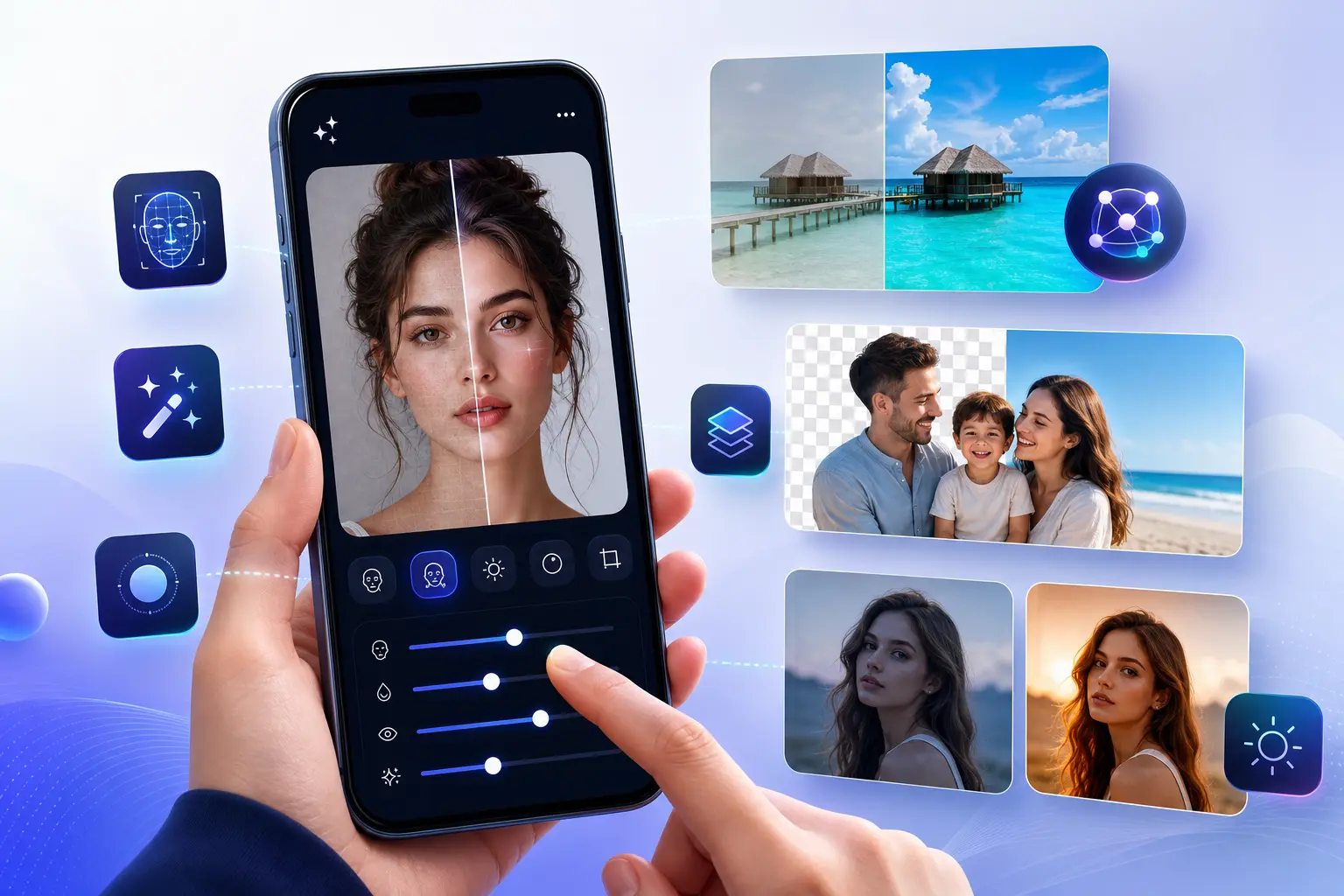
Smart Scenes applies AI-powered transformations to an existing photo. It can change the overall look, including hairstyle, background, and scene appearance, using built-in options instead of text prompts. That means you start with your own image and transform it, rather than generating a new one from scratch.
Backgrounds is another practical feature for everyday editing. It can remove the original background automatically, replace it with a built-in preset or a custom image, and also apply background blur. That is useful for product photos, profile pictures, and social posts where the subject is strong but the setting is distracting.
If you want to add shadow to an image naturally after changing a background, pairing background replacement with careful finishing touches can make the final image feel more grounded and realistic.
Natural portrait touch-ups with Natural FaceRetouch and Blur
Portrait editing is another area where TouchRetouch has a clear role. Natural FaceRetouch is designed for subtle improvements such as smoothing skin, brightening eyes, enhancing a smile, reducing wrinkles on the face and neck, evening skin tone, and adding eye highlighting while preserving natural features.
That makes it suitable for profile photos, family portraits, graduation pictures, and casual social content where you want a polished look without an artificial finish. It is about refinement, not changing who the person is.
Blur adds selective focus for artistic depth, privacy, or visual emphasis. For example, you can soften a busy background behind a child’s portrait or blur a house number in a real estate image before sharing it publicly.
TouchRetouch also has clear limits, and that honesty matters when comparing apps. It edits photos only, not video; it does not support RAW editing, batch automation, collage making, or text-to-image generation. Some premium AI features require a subscription, and results depend on scene complexity and photo resolution.
For readers who want more examples, ADVA Soft also explains how to remove objects from photos on iPhone and Android and how to remove glasses glare from a photo using focused mobile editing tools.
How to choose the right app for your editing style
Choose by task: cleanup, portraits, backgrounds, or scene changes
The best app is usually the one that matches the job you do most often. If you mainly remove photobombers from travel shots, clean up real estate photos, improve family group pictures, or make quick portrait edits, choose for that task instead of downloading the broadest editor you can find.
For example, a traveler may care most about removing signs, wires, and background strangers. A parent may want better group photos and natural portrait touch-ups. A social creator may care more about background replacement and scene changes for posts.
Questions to ask before downloading an ai photo editing app free
When comparing an ai photo editing app free option, check three things first: is the app free to download, which features are available before subscribing, and are premium AI tools clearly labeled? That tells you quickly whether the app fits your budget and expectations.
You should also look at platform support, export quality, and whether the interface feels comfortable on a phone. If your goal is repeated mobile editing, a clean workflow matters more than a giant list of features you will never use.
Remove unwanted objects from your photos — try TouchRetouch free. You can also get it on Google Play for Android.
Who TouchRetouch is best for
TouchRetouch is a strong match for casual mobile photographers, travelers, parents, social media creators, and anyone who wants easy object removal and natural retouching on a phone. It is especially useful when your photos are already good and just need cleaner composition or a more polished finish.
It was selected by Apple as an Editors’ Choice app. If ratings are part of your decision, it has an approximate 4.7-star average across the App Store and Google Play as of the time of writing, though current numbers should always be verified before publication.
Practical takeaway: the easiest path for better mobile photo edits
A simple shortlist for everyday users
If you edit only once in a while on different devices, an online editor may be enough. If you regularly clean up photos on your phone, a dedicated mobile app is usually the better long-term choice because the workflow is simpler and the controls are built for touch.
When TouchRetouch is the smartest download
TouchRetouch makes the most sense when you want to improve an existing image through object removal, scene transformation, background replacement, natural face retouching, or selective blur. It is especially strong when the goal is cleanup rather than full creative generation.
TouchRetouch does not generate images from text prompts and is not a general-purpose AI image generator. That limitation is actually helpful for many users because it keeps the app focused on real-world mobile editing tasks.
Download options for iPhone and Android
TouchRetouch is available for iPhone, iPad, and Android devices, with Mac access only via Apple Silicon compatibility. If your priority is ai photo editing iphone workflows or Android photo cleanup, it gives you a direct way to edit on the device you already use every day.
In short, the easiest path to better photos is to match the tool to the task. For regular mobile cleanup and retouching, ai photo editing free trials are most useful when they lead you to an app that edits real photos well, not one that overwhelms you with features you do not need.
Download TouchRetouch for free on iOS and Android and start removing unwanted objects today.
Frequently Asked Questions
What is the best free AI photo editor for removing objects from pictures?
A good choice is one that focuses specifically on object removal instead of trying to do everything. TouchRetouch is free to download and is designed for removing unwanted objects, people, lines, meshes, and similar distractions from existing photos on iPhone and Android.
Can I use TouchRetouch for AI photo editing free online without installing an app?
No. TouchRetouch is a mobile app for iOS and Android, not an online browser editor. There is no standalone web version, so you need to install the app to use its editing tools.
Does TouchRetouch support AI photo editing prompts or text-to-image generation?
No. TouchRetouch does not support prompt-based image generation or text-to-image creation. It works on photos you already have and helps you remove distractions, retouch portraits, replace backgrounds, and transform scenes from an existing image.
How can I edit photos on iPhone with AI without using desktop software?
You can do it directly on your iPhone with a dedicated app. TouchRetouch lets you edit photos on-device, which is useful for removing photobombers, cleaning up backgrounds, applying blur, and making natural portrait adjustments without moving files to a computer.
What does no restrictions usually mean in AI photo editing tools?
It usually means fewer barriers, not unlimited premium access. In most cases, it refers to no required account at the start, fewer usage caps, or basic tools being available before payment, while advanced AI features, higher-resolution exports, or watermark-free downloads may still require a subscription.
FAQ
What is the best ai photo editing free option for mobile users?
The best ai photo editing free option for mobile users is the one that matches your photo style, editing goals, and device, rather than the app with the longest feature list.
Can I use ai photo editing free online without signing up?
Yes, some ai photo editing free online tools let you test basic edits without creating an account, but many limit exports, features, or image quality until you sign up.
Are free AI photo editing apps good enough for iPhone photos?
Yes, many free AI photo editing apps are good enough for iPhone photos if you need quick enhancements like background cleanup, portrait retouching, lighting fixes, and social-ready edits.
What should I look for in ai photo editing software free?
You should look for ease of use, realistic results, export quality, mobile performance, and whether the tool supports the kinds of photos you already take.
Do ai photo editing prompts improve results?
Yes, clear ai photo editing prompts can improve results because they help the tool apply more accurate changes to lighting, background, style, and subject details.