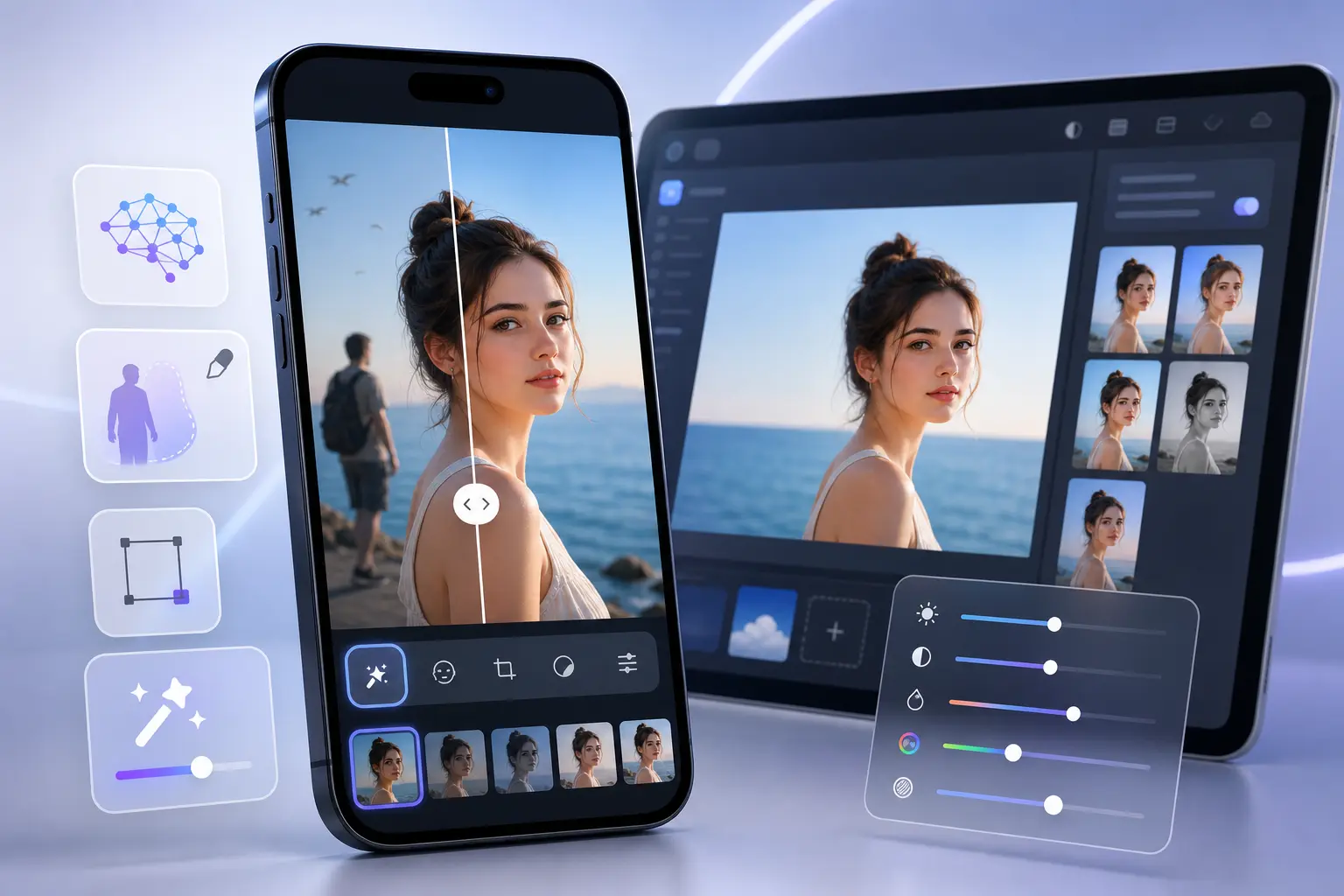
If you want ai photo editing software that helps clean up real photos instead of generating fantasy images, the best choice is often a specialist mobile app. This guide is for people comparing apps, browser-based editors, and free tools who mainly want to remove distractions, tidy portraits, and improve everyday shots without learning complex editing.
TouchRetouch is a mobile photo-editing application developed by ADVA Soft GmbH in Berlin, Germany. It focuses on transforming existing photos on iPhone, iPad, Android devices, and compatible Apple Silicon Macs rather than creating new images from text. In practical terms, that means it is built for cleanup and retouching: removing unwanted objects, people, lines, meshes, and blemishes, plus background replacement, subtle face retouching, blur, and AI scene transformations.
What everyday users should expect from mobile AI editors
What AI cleanup apps do well on phones
Most mobile ai photo editing tools are strongest when the job is simple and specific: erase a photobomber, remove a trash can from a travel shot, clean up a sign in the background, or blur part of an image for privacy. On a phone, convenience matters as much as power, so the best apps keep the workflow short and the controls easy to understand.
TouchRetouch fits that use case well. It helps remove distractions and retouch photos on iOS and Android with tools designed for object removal, line cleanup, mesh removal, background changes, and natural-looking portrait touch-ups. It also preserves original photo quality and EXIF data on export, which matters if you want to keep image information intact after editing.
What TouchRetouch does not do
Just as important, it helps to know what this mobile editor is not. TouchRetouch does not generate images from text prompts, does not batch-process photos automatically, and does not edit video. If your main goal is prompt-based image creation, a prompt-driven generator is a different category from this app.
It is also not a standalone desktop replacement. The app is mobile-only on iOS and Android, with Mac access available only through Apple Silicon compatibility. Some AI-powered features also require an internet connection, so fully offline editing is not available for every tool.
Why specialist mobile editing can be the better choice
For everyday cleanup, specialist ai photo editing software often beats a broad, complicated editor because it focuses on a narrow set of tasks and does them clearly. Instead of navigating layers, masks, and long menus, you select the distraction and let the app handle the heavy lifting. That is especially useful for family photos, travel images, social posts, and quick fixes before sharing.
TouchRetouch is best understood as a focused mobile cleanup app. Results depend on scene complexity, and heavily textured backgrounds sometimes need extra work with Clone Stamp. Still, for common edits on a phone, a specialist tool can be the more practical choice.
How TouchRetouch handles the photo cleanup tasks people search for
Remove Objects for everyday distractions
The core of TouchRetouch is Remove Objects. You mark the unwanted area with the Brush or Lasso tool, adjust the brush size if needed, and use Restore when you want to bring back part of the selection for more precise edges. This makes it easier to target a small object on the ground, a sign near the edge of a frame, or a shadow that pulls attention away from the subject.
Typical examples include removing trash cans from street scenes, erasing stop lights from travel photos, cleaning up small items on a beach, or deleting visual clutter from a family portrait taken in a busy park. For users comparing ai photo editing for photographers, this is where the app is most useful: quick distraction removal without opening a full desktop workflow.
Erase AI for background people and common clutter
Erase AI is the intelligent option for common cleanup jobs. It is designed to detect background people and distractions, remove them, and identify the main subject so that person stays unchanged. That makes it a practical choice when your subject is centered but the background includes passersby, poles, signs, or other clutter.
This feature works best when the background is relatively even, such as sky, pavement, walls, grass, or water. In a crowded market scene or a patterned interior, the automatic result may still need manual touch-up. That is normal for mobile ai photo editing software, especially when the scene contains lots of overlapping detail.
Person Removal for group photos
Person Removal is a separate tool built specifically for group photos. It detects all people in the image, lets you choose which individuals to remove, and then adjusts the composition so the remaining group looks natural. This is useful when one person blinked, stepped into frame, or no longer belongs in the final version you want to keep.
Imagine a family photo where one extra person is standing at the edge, or a vacation group shot where a stranger wandered into the background. Instead of manually brushing around each figure, you can select the person you want removed and let the app rebuild the space around them.
Line Removal, Mesh Removal, and Clone Stamp for tricky details
For wires and power lines, Line Removal is one of the most practical tools in the app. You tap or mark part of the line, and the app finds the full line automatically. If the line curves, manual control points help refine the path so the removal follows the shape more accurately.
Mesh Removal is designed for fences and foreground mesh. The workflow is simple: choose the tool and tap Go. That can help when you photographed an animal through fencing or want to reduce the visual barrier in a sports or zoo photo.
When automatic removal leaves behind uneven texture, Clone Stamp gives you manual control. You copy texture from a clean area and paint it over the part that still needs repair. For detailed brick walls, patterned clothing, or dense foliage, this extra step often makes the result cleaner and more believable.
If you want a deeper walkthrough for object cleanup, see how to remove objects from photos on iPhone and Android. For related touch-up tasks, ADVA Soft also explains how to remove glasses glare from a photo.
Beyond erasing: backgrounds, Smart Scenes, FaceRetouch, and blur
Background removal and replacement on mobile
TouchRetouch goes beyond object removal with Backgrounds, which automatically removes the background from a photo and replaces it with a built-in preset or your own image. This is useful for profile pictures, product photos, portraits, and cleaner social media posts where the original background feels distracting or messy.
Background blur is also part of the app’s editing toolkit. You can use blur for a softer depth-of-field look or to hide details in selected areas for privacy. For people comparing an ai photo editing app free option, this is one of the premium AI features that requires a subscription after download.
How Smart Scenes changes the look of an existing photo
Smart Scenes is where the app’s creative side comes in. It transforms one existing photo into different looks using AI filters and organized categories, including changes to hairstyles, backgrounds, and the overall scene appearance. The workflow is based on taps and presets rather than layers or prompt writing.
That distinction matters because many people searching for ai photo editing prompts are actually looking for text-to-image tools. TouchRetouch does not work that way. Smart Scenes changes a photo you already have; it does not generate a new image from scratch. If you have seen searches around adva smart, this is the feature most closely tied to that interest.
Natural FaceRetouch for subtle portrait improvements
Natural FaceRetouch is designed for subtle portrait enhancement, not dramatic transformation. It can smooth skin, brighten eyes, enhance a smile, reduce wrinkles on the face and neck, even skin tone, and add eye highlighting while preserving natural facial features. The goal is a polished look that still feels like the original person.
This makes it useful for profile photos, family portraits, and casual headshots where you want a fresher result without an over-edited finish. Users who want stronger beauty filters or cartoon-like effects are looking for a different kind of editor than this one.
Blur for focus, privacy, and creative depth
The app’s Blur tool helps direct attention where you want it. You can soften a busy background behind a portrait, reduce detail in a license plate or house number, or create a more cinematic separation between the subject and the rest of the frame. In a mobile workflow, that kind of selective blur is often more useful than a long list of novelty effects.
For users who want practical ai photo editing software on a phone, these features make TouchRetouch more than a simple eraser. It still stays focused on improving existing photos rather than turning into an all-purpose design suite.
AI photo editing software vs websites, free tools, and prompt-based apps
When an app is more practical than an ai photo editing website
Many people compare a mobile app with an ai photo editing website or other ai photo editing online services. A browser tool can be convenient if you prefer editing on a larger screen without installing anything. But for on-phone cleanup, a dedicated app is usually more practical because your photos are already on the device and the controls are built for touch editing.
There is also a workflow advantage. If you regularly remove signs, wires, or background people from photos you just took, opening a mobile app is usually simpler than uploading the image to an ai photo editing website every time. TouchRetouch is designed around that repeat cleanup use case.
What free-tool seekers should know before downloading
If you are searching for ai photo editing software free or ai photo editing free online, it helps to separate “free to install” from “all premium tools included.” TouchRetouch is free to download; premium AI features require a paid subscription. Check the App Store or Google Play for current pricing, which varies by region.
That means users looking for an ai photo editing app free can install the app at no cost, but advanced AI features such as Erase AI, Blur, Backgrounds, Smart Scenes, Natural FaceRetouch, and Person Removal require a subscription. This is a straightforward model, and it is better to know that before you download than to expect every feature to be unlocked automatically.
The truth about ai photo editing prompts
Search behavior around ai photo editing prompts often mixes together two very different categories: editing an existing photo and generating a new one from text. TouchRetouch belongs firmly in the first category. It does not use prompt writing for image generation, and Smart Scenes works through taps and presets instead.
The same goes for trend-driven searches such as ai photo editing reddit, ai photo editing rajan editz, or ai photo editing by cs editz. People often use those searches to compare editing styles, before-and-after looks, or workflow ideas. TouchRetouch is not trying to be every kind of AI editor; it is specifically built for cleanup and retouching on existing photos.
How TouchRetouch compares as a focused mobile option
TouchRetouch is mobile-only on iOS and Android, with Mac access only through Apple Silicon compatibility. There is no standalone desktop version, and that is part of its positioning. It is a focused mobile option for removing distractions, refining portraits, replacing backgrounds, and transforming scenes from a phone or tablet.
If your priority is broad desktop editing, layered compositing, or automated batch workflows, this is not the right category. If your priority is simple cleanup with a clean interface and in-app tutorials, this app makes more sense than many broader tools.
Download TouchRetouch for free on iOS and Android and start removing unwanted objects today.
Who TouchRetouch is best for on iPhone and Android
For iPhone users who want a simple cleanup app
For people searching ai photo editing iphone, TouchRetouch supports iPhone, iPad, and iPod touch on iOS 14.0 and later. It is also available on Apple Silicon Macs through compatibility with macOS 11.0 and later, and Apple Vision support is listed as well. On Android, the app is available through Google Play.
For photographers who need quick distraction removal
Photographers often want a lightweight companion for quick fixes rather than a full desktop session. This app helps remove wires, signs, background people, and small distractions from an image before sharing, delivering, or posting it. For many users, that makes it practical ai photo editing for photographers who mainly need cleanup on the go.
For social posts, travel shots, and family photos
TouchRetouch is especially useful for travelers removing photobombers, parents cleaning up family shots, and creators polishing social images. The interface is clean, the tools are easy to understand, and the in-app tutorials help new users get started without a steep learning curve.
Download options and what to expect before subscribing
TouchRetouch is free to download; premium AI features require a paid subscription. Check the App Store or Google Play for current pricing, which varies by region. Apple selected TouchRetouch as an Editors’ Choice app, and it has an approximate 4.7-star average rating across the App Store and Google Play as of writing, though exact current ratings should be verified before publication.
Download TouchRetouch for free on iOS and Android and start removing unwanted objects today.
Practical takeaway: choosing the right mobile editor for your needs
Choose TouchRetouch if your priority is cleanup, not generation
If your main goal is removing distractions, cleaning up portraits, replacing backgrounds, transforming existing scenes, and making subtle retouches on a phone, TouchRetouch is a strong fit. It is built for editing photos you already have, not for text-to-image generation.
Best-fit scenarios before you download
This app makes the most sense for travelers removing photobombers, parents improving family photos, creators polishing social posts, and photographers doing quick mobile cleanup. It is less suitable if you need automatic batch processing, video editing, or a standalone desktop editor.
Final CTA for iOS and Android users
In short, the right ai photo editing software depends on what you actually want to do. If that means cleaning up real photos quickly on mobile, TouchRetouch is a focused and honest option. Clean up your photos with TouchRetouch — download now on the App Store or get it on Google Play.
If you also want to refine the final look after cleanup, you may find ADVA Soft’s guides helpful on how to add shadow to an image for a more polished look.
Frequently Asked Questions
Is TouchRetouch an AI photo editing app free to use?
Yes, TouchRetouch is free to download. Premium AI features require a paid subscription, including Erase AI, Blur, Backgrounds, Smart Scenes, Natural FaceRetouch, and Person Removal. Current pricing varies by region and platform, so users should check the App Store or Google Play listing.
Does TouchRetouch support AI photo editing prompts or text-to-image generation?
No, TouchRetouch does not support prompt-based image generation. It edits existing photos using tools such as object removal, background replacement, Smart Scenes transformations, and portrait retouching. Smart Scenes works through presets and taps, not text prompts.
Can I use TouchRetouch as an ai photo editing website online?
No, TouchRetouch is not an online browser editor. It is a mobile app for iOS and Android, with Mac access only through Apple Silicon compatibility. If you want a browser-based workflow, you would need a different type of tool.
Is TouchRetouch good for photographers who only need simple cleanup?
Yes, it is a good fit for photographers who mainly want quick distraction removal on mobile. It helps remove wires, signs, background people, small objects, and other clutter without opening a full desktop workflow. It is best seen as a lightweight cleanup companion rather than a replacement for advanced desktop software.
Can TouchRetouch edit videos or batch-process multiple photos automatically?
No, TouchRetouch is a photo editing app only. It does not edit videos, and it does not batch-process multiple photos automatically. Its strength is focused cleanup and retouching on individual images.
FAQ
What is the best ai photo editing software for everyday mobile cleanup?
The best ai photo editing software for everyday mobile cleanup is usually a specialist app that focuses on object removal, retouching, background cleanup, and quick mobile-friendly edits.
Is there an ai photo editing app free for basic cleanup tasks?
Yes, many tools offer a free version or trial for basic cleanup tasks like removing small distractions, smoothing blemishes, and making simple lighting adjustments.
Should I choose an ai photo editing website or a mobile app?
You should choose a mobile app for fast, on-the-go edits and an ai photo editing website if you prefer working on a larger screen with browser-based convenience.
Can ai photo editing software help photographers with real images?
Yes, ai photo editing software can help photographers speed up real-image workflows by improving cleanup, retouching, exposure correction, and background refinement.
Does ai photo editing online replace manual editing completely?
No, ai photo editing online can save time on repetitive tasks, but manual editing is still useful when you need precise control and natural-looking final results.