If you’re comparing ai photo editing tools in 2026, the smartest choice usually comes down to one simple question: what do you actually want to fix in your photo? A long feature list sounds impressive, but everyday users usually need practical results such as removing a stranger from the background, replacing a messy backdrop, softening distractions, or giving a portrait a more polished but natural look.
That is why it helps to separate broad all-in-one editors from specialist cleanup apps. Some tools focus on generating new visuals, while others are designed to improve a real photo you already took. For people editing travel shots, family pictures, social posts, or product images on a phone, that difference matters more than marketing language.
What everyday users should expect from modern photo editors
What AI editing is good at today
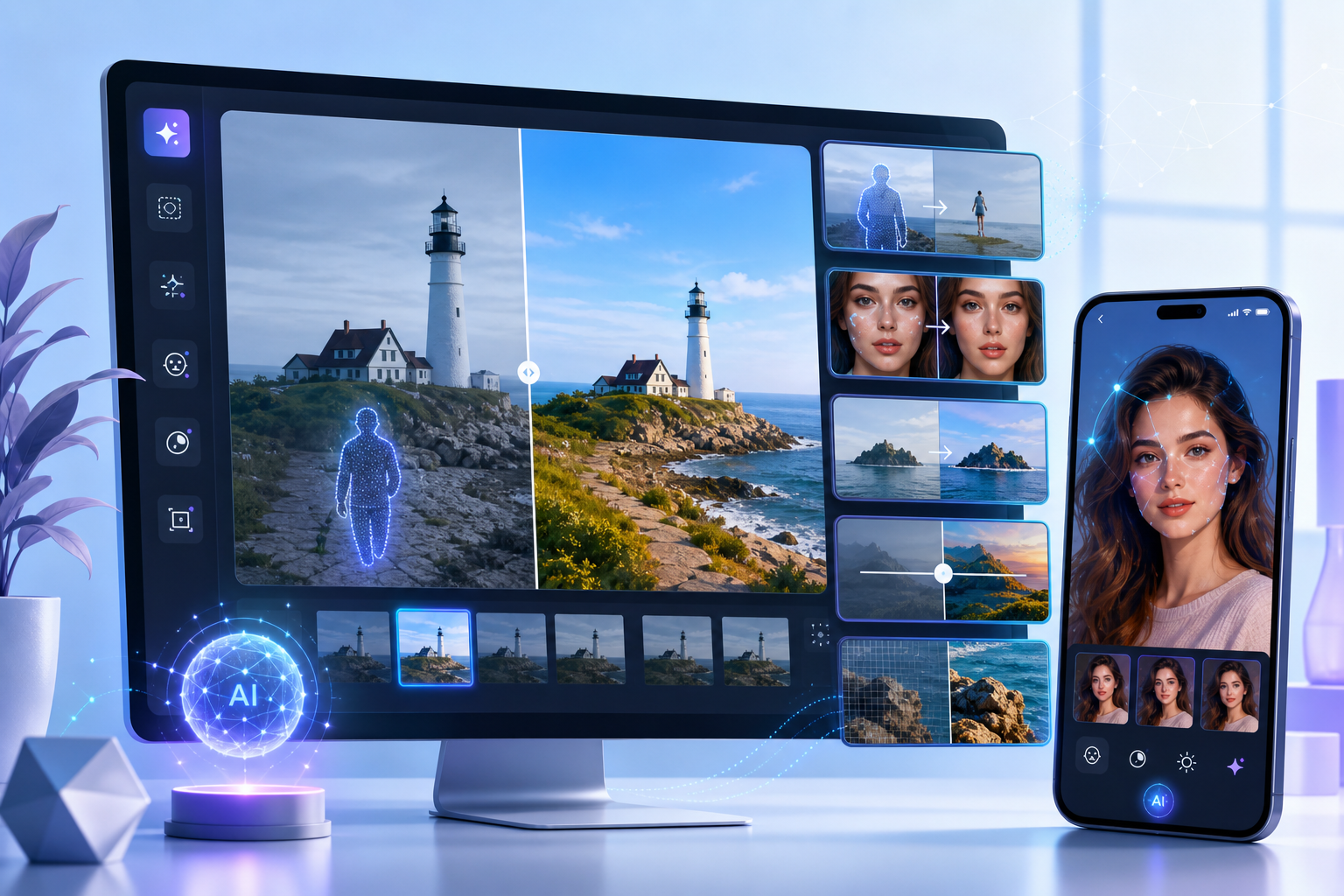
Modern editors are strongest when the task is clear and visual. Today, ai photo editing online and in mobile apps is especially useful for removing distractions, replacing backgrounds, blurring selected areas, transforming the look of a scene from an existing image, and applying subtle portrait retouching.
Common examples are straightforward: erase a trash can from a street photo, remove a photobomber from a beach shot, blur a license plate, or swap a cluttered room background for something cleaner. These are the kinds of edits that save a photo you already like instead of forcing you to start over.
Where automatic edits still need human input
Even strong automation has limits. Results depend on photo resolution, scene complexity, and background texture. A plain sky, wall, road, or water surface is usually easier to repair than hair against a busy crowd, patterned fabric, or overlapping objects.
That is why some edits are assistive rather than magical. Automatic selection can do most of the work, but tricky areas may still need a brush adjustment, a refined selection, or a manual repair tool to make the result look natural. This is normal, not a failure of the category.
It also helps to understand the difference between enhancement and generation. Many people searching for an ai photo editing website are actually comparing two different products: one edits an existing photo, while another creates new imagery from prompts. If your goal is cleanup or retouching, you want the first category.
Which tasks are easiest on a phone
Phone editing works best for quick, practical fixes. Travel photos, family pictures, marketplace listings, portraits for social media, and casual product shots are ideal because the edits are usually focused: remove one object, blur one area, brighten a face slightly, or replace one background.
That is also why many users prefer mobile-first workflows over desktop complexity. If the photo already lives in your camera roll, opening an app and editing it directly often feels simpler than moving files around for ai photo editing software free searches that lead to tools with more features than you actually need.
Mobile app or browser editor: which option makes more sense?
When an online editor is enough
An ai photo editing website is often enough when you edit occasionally and want convenience above all else. Browser tools are useful for one-off jobs such as removing a small distraction from a product photo, testing a background change, or making a quick social image without installing anything.
They also make sense when you switch between devices or do not want to commit to a dedicated workflow. For light use, ai photo editing free online options can be practical, especially if the edit is simple and the image is already stored in the cloud.
Why many users prefer app-based editing on iPhone
For repeat use, a mobile app usually feels more natural. On iPhone, touch-based editing is especially comfortable for brushing over an unwanted object, tapping a person to remove them, or selecting a background area with your finger. That makes app-based cleanup feel more direct than using a browser interface designed for many different tasks.
Typical ai photo editing iphone use cases are easy to picture: remove a stranger before posting a vacation photo, clean up a street scene by erasing a sign, soften a distracting background in a portrait, or refresh a selfie with subtle face retouching. These are small but meaningful edits that fit naturally into a phone workflow.
A dedicated app can also feel more focused because the tools are built around touch gestures rather than menus stacked on menus. If your main habit is editing from the camera roll, that focused design often matters more than having every possible adjustment under the sun.
What to consider before uploading photos to a website
Before using any browser-based editor, think about convenience, control, and where your photos are going. Uploading to a website can be fine for occasional edits, but many users prefer an app when they want a more consistent routine and direct access to their own photo library.
It is also worth remembering that some AI-powered features need an internet connection whether you use an app or a website. So the real comparison is not “online versus offline” in every case. It is whether you want occasional browser access or a more touch-friendly editing setup you can return to regularly.
For readers comparing ai photo editing online with apps, the best answer is usually simple: choose a website for occasional convenience, and choose an app if cleanup, portrait touch-ups, and background edits are something you do often on your phone.
Where TouchRetouch fits among today’s AI photo editing tools
A specialist approach instead of an all-purpose editor
TouchRetouch is a specialist mobile photo editor developed by ADVA Soft GmbH, based in Berlin, Germany. Instead of trying to be a full desktop suite, it focuses on practical retouching and AI-powered object removal for iOS and Android.
That specialist approach matters because many people do not need a complex editor. They need a reliable way to clean up a real photo: remove an object, erase a person, fix a fence in the foreground, blur part of the frame, or improve a portrait without making it look artificial.
Among today’s ai photo editing tools, TouchRetouch stands out by concentrating on cleanup and scene improvement from an existing image. It is not a text-prompt image generator, and it is not positioned as a desktop replacement.
Best use cases for object cleanup and scene changes
The core Remove Objects feature lets you mark unwanted elements with Brush or Lasso, then remove them while keeping the rest of the image intact. This is useful for everyday fixes such as erasing a trash can from a street shot, removing text from a sign, or cleaning up small distractions in a product photo.
Erase AI is designed for automatic distraction removal. It can detect and remove background people and other common visual interruptions such as signs, shadows, or street clutter, while identifying the main subject so the edit stays focused where it should.
For group shots, Person Removal helps you remove specific people individually. A practical example is taking a family photo in a busy tourist spot and removing one stranger who ended up too close to the group.
TouchRetouch also includes dedicated tools that many casual users actively look for. Line Removal is built for wires and power lines, while Mesh Removal is designed for fences and foreground mesh. If you photograph city streets, stadiums, zoos, or scenic overlooks, those tools solve very specific but common problems.
When automatic cleanup needs extra help, Clone Stamp gives you manual control for fine repairs. This is especially useful in more complex scenes where textures overlap and a small area needs careful refinement after the main object has been removed.
Beyond object cleanup, TouchRetouch includes Backgrounds for background removal and replacement, Smart Scenes for AI scene transformations from an existing photo, and Blur for selective blur. That means you can replace a messy room behind a portrait, transform the overall look of an image, or blur a background area for a cleaner composition.
Portrait editing is handled through Natural FaceRetouch, which is designed for subtle improvements such as smoothing skin, brightening eyes, enhancing a smile, reducing wrinkles, and evening skin tone while preserving natural facial features. The goal is a believable result, not a plastic finish.
Who TouchRetouch is built for
This app is built for everyday mobile users: travelers removing photobombers, parents cleaning up family photos, creators polishing social posts, and sellers improving product images. It also fits anyone who wants an ai photo editing iphone workflow that stays simple and touch-friendly.
Apple selected TouchRetouch as an Editors’ Choice app, and it has an approximate 4.7-star average across the App Store and Google Play as of the time of writing. That does not make it an all-purpose studio editor. It does show that a focused cleanup app can be exactly what many users need.
If you want more practical cleanup tips, see this guide on how to remove objects from photos on iPhone and Android, this guide to remove glasses glare from a photo, or this tutorial on how to add shadow to an image naturally.
Free vs paid: what to know before you download
What “free” usually means in photo editing apps
When people search for an ai photo editing app free option, they often mean “free to install and test.” In photo editing, that usually does not mean every advanced feature is included at no cost. The same is true for many searches around ai photo editing software free.
That is why it helps to read pricing language carefully. A free download can still be useful if it lets you explore the interface, test basic workflows, and decide whether the advanced tools match the edits you actually do.
TouchRetouch pricing expectations
TouchRetouch is free to download; premium AI features require a paid subscription. Check the App Store or Google Play for current pricing, which varies by region.
The subscription-gated AI features are Erase AI, Blur, Backgrounds, Smart Scenes, Natural FaceRetouch, and Person Removal. If your needs are occasional and basic, that distinction matters. If you regularly remove distractions, replace backgrounds, or retouch portraits, the paid features may be the main reason to use the app.
How to compare value without chasing unrealistic promises
The best way to compare value is to match the tool to your habits. If you only need rare edits, a lightweight browser option or basic free app may be enough. If you edit often and want a focused mobile workflow, a specialist app can be the better fit than endlessly testing every touchretouch free or “all-in-one” result you find in search.
One more practical note: unofficial app copies are unsafe and may violate ADVA Soft terms. If you want to try TouchRetouch, use only the official App Store and Google Play listings.
What Reddit users usually ask before choosing an editor
Can it remove people and objects naturally?
In ai photo editing reddit discussions, the same concerns come up again and again: does object removal look believable, can the app handle wires and fences, and is it easy enough for casual users? Those are sensible questions because realism matters more than flashy demos.
TouchRetouch addresses those concerns with dedicated tools rather than one generic remover. It includes Line Removal for wires and power lines, Mesh Removal for fences and foreground mesh, and Clone Stamp when an automatic result needs manual refinement in a more detailed area.
Is it better online or on mobile?
Another common comparison is browser versus phone. Reddit users often weigh convenience against control, and that is the right way to think about it. A website can be fine for occasional edits, but a mobile editor usually feels better when you want to brush, tap, and refine directly on the image.
TouchRetouch is a mobile photo editor for iOS and Android. It is not a desktop editing suite, not a text-prompt image generator, and not a video editor. That clarity helps set the right expectations before you download.
Does it over-edit faces or keep them believable?
Face editing is another frequent concern in ai photo editing reddit threads because many users want polish without an artificial look. TouchRetouch approaches this with Natural FaceRetouch, which is built for subtle improvements such as smoother skin, brighter eyes, and a more even tone while preserving natural features.
Download TouchRetouch for free on iOS and Android and start removing unwanted objects today.
Practical takeaway: choose the tool that matches the edit
Best fit for cleanup, portraits, and background changes
The most useful way to compare editors is by task, not by hype. Choose an online editor when you want occasional browser-based convenience. Choose a dedicated mobile app when you want repeatable, touch-friendly cleanup on your phone for portraits, travel shots, product images, and everyday social photos.
That is where focused ai photo editing tools make more sense than broad platforms with endless menus. If your main jobs are removing unwanted objects, changing or blurring backgrounds, transforming scenes from an existing photo, and applying natural-looking face retouching, a specialist app is often the better match.
When TouchRetouch is the right choice
TouchRetouch is the right choice when cleanup is your priority. It is designed for mobile photo editing, not desktop production work, and some AI features need internet access. In more complex scenes, manual refinement with Clone Stamp may still be needed for the best result.
One practical advantage is export quality: TouchRetouch preserves original photo quality and EXIF data on export. That is useful if you want to keep image information intact after making your edits.
Simple next step for iPhone and Android users
If you mainly edit on your phone and want a cleaner, more focused way to remove distractions, TouchRetouch is built for that exact workflow. It gives iPhone and Android users a straightforward way to improve real photos without pretending to be something it is not.
Remove unwanted objects from your photos — try TouchRetouch free. You can also get it on Google Play for Android.
Frequently Asked Questions
What can AI photo editors realistically do for everyday users?
AI photo editors can realistically help with object removal, background replacement, selective blur, scene transformations from an existing photo, and subtle portrait retouching. They work best when the edit is focused and the scene is not overly complex. Busy textures and overlapping details still sometimes need manual refinement.
Is TouchRetouch free to use or does it require a subscription?
TouchRetouch is free to download; premium AI features require a paid subscription. Check the App Store or Google Play for current pricing, which varies by region. Premium AI features include Erase AI, Blur, Backgrounds, Smart Scenes, Natural FaceRetouch, and Person Removal.
Is TouchRetouch available for iPhone and Android?
Yes. TouchRetouch is available for iOS and Android. It is designed as a mobile photo editor, so it fits users who want to edit directly from a phone or tablet.
Can TouchRetouch replace a desktop photo editor?
No. TouchRetouch is not a standalone desktop editing suite. It is a focused mobile app for photo cleanup, object removal, background changes, scene transformations, blur, and natural face retouching.
Does TouchRetouch generate images from text prompts or edit videos?
No. TouchRetouch does not generate images from text prompts, and it does not edit videos. It works on existing photos and is designed specifically for photo editing on mobile.
The big takeaway is simple: the best ai photo editing tools are the ones that match the edit you actually need. If your goal is occasional browser convenience, an online editor may be enough. If your goal is frequent, touch-friendly cleanup on a phone, a specialist mobile app makes more sense.
TouchRetouch is a strong fit for users who want to remove unwanted objects, clean up people and distractions, replace or blur backgrounds, transform scenes from an existing photo, and keep portrait retouching natural. If that sounds like your workflow, remove unwanted objects from your photos — try TouchRetouch free.
FAQ
What can AI photo editing tools really do in 2026?
AI photo editing tools in 2026 can remove objects, retouch portraits, enhance image quality, fix backgrounds, and automate repetitive edits much faster than manual workflows.
Are free AI photo editing tools good enough for everyday use?
Free AI photo editing tools are often good enough for basic cleanup, simple retouching, and quick social media edits, but advanced features and higher-quality exports usually require a paid plan.
Is an AI photo editing app better than an online editor?
An AI photo editing app is usually better for mobile convenience and quick edits, while an online editor can be more practical for larger screens, browser-based workflows, and cross-device access.
Can AI photo editing tools replace manual retouching?
AI photo editing tools can replace much of the routine manual work, but detailed professional retouching still benefits from human control for precision, consistency, and natural-looking results.
How do I choose the best AI photo editing tool?
The best AI photo editing tool depends on your main task, such as object removal, portrait retouching, background cleanup, or batch editing, so it is best to choose based on your most common photo problems.