Looking for a background remover online free option usually means you want one thing: a quick, low-friction way to clean up a photo without learning complex design software. TouchRetouch offers a practical alternative for people who edit on their phones, with simple tools for removing or replacing backgrounds and adding blur effects for a cleaner look.
That matters for everyday edits like profile pictures, product photos, marketplace listings, travel shots, and family images. If the photo already lives on your phone, opening a mobile editor is often easier than uploading files into a browser tab and working with a desktop-style interface.
Why people look for a simple background removal tool
What everyday users usually want from a background remover image workflow
Most people searching for a background remover tool are not trying to build layered designs or learn advanced editing. They usually want to isolate a person or object, clean up a distracting backdrop, and save a photo that looks more polished for social media, resale listings, messaging apps, or personal albums.
When a mobile app is more practical than a browser-based editor
TouchRetouch fits that need honestly: it is not a browser-based website tool. It is a mobile photo-editing app for iPhone and Android, which makes sense when your images are already in your camera roll, you want to edit while traveling, or you simply prefer using touch controls instead of dragging files into a web editor.
What “online free” really means for casual photo editing
For casual users, “online free” often means easy access, not necessarily a fully free workflow with every feature unlocked. TouchRetouch is free to download; premium AI features require a paid subscription. Check the App Store or Google Play for current pricing, which varies by region. Some AI-powered features also require an internet connection, so it helps to think of the app as a convenient mobile editor rather than a web-based background remover image service.
Transform your photos with TouchRetouch’s AI-powered tools — available on iOS and Android.
How TouchRetouch handles background removal and replacement
Use the Backgrounds feature to remove the existing backdrop
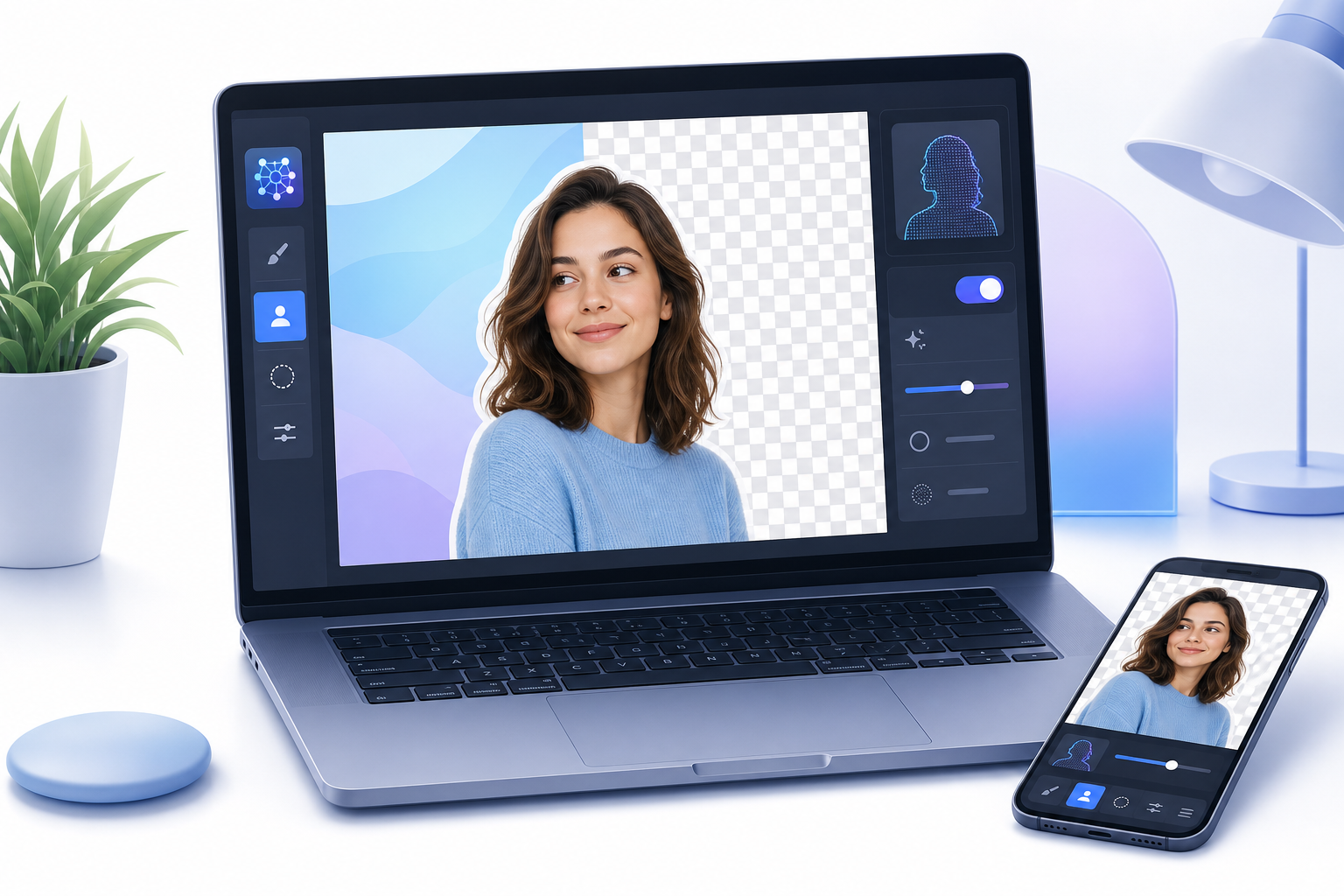
The main feature for this task is Backgrounds. It works as a background remover ai option inside the app, automatically separating the subject from the existing backdrop so you can start with a cleaner base image.
The workflow is straightforward: choose a photo, remove the original background, and then decide what should appear behind the subject. This is useful for profile images, simple product shots, travel portraits, and social posts where the original setting feels too busy or distracting.
Replace the cutout with built-in presets or your own image
After the cutout is created, you can replace the background with one of the built-in photo presets or use your own image. That gives everyday users a simple way to turn a cluttered room into a cleaner backdrop, swap in a more suitable travel scene, or create a more consistent look across casual content.
For example, a seller can make a small item stand out better for a marketplace listing, while a traveler can replace a distracting crowd scene behind a portrait. Results depend on photo resolution and scene complexity, especially when hair, shadows, or detailed edges are involved.
Create a softer portrait look with background blur
If you do not want a full replacement, TouchRetouch also supports background blur. This can create a softer depth-of-field effect that keeps attention on the subject without changing the entire scene, which is often enough for portraits, casual headshots, and lifestyle photos.
TouchRetouch preserves original photo quality and EXIF data on export, which is helpful when you want to keep image details intact after editing. If your photo also has distractions beyond the backdrop, you can explore how to remove objects from photos on iPhone and Android for a more complete cleanup.
Best use cases on iPhone and Android
iPhone use cases for portraits, listings, and social posts
On iPhone, a background remover app is especially useful for refreshing a profile photo, cleaning up a portrait before posting, or replacing a distracting travel background. Blur can also help create a more polished look when the original setting is fine but visually busy.
Android use cases for quick edits before sharing
On Android, TouchRetouch works well for preparing marketplace product photos, improving family pictures, and creating simple social content directly from the phone gallery. That means fewer steps between taking the photo and sharing the final version.
When to combine background edits with other TouchRetouch tools
Sometimes the best result comes from combining Backgrounds with other tools. You can use Remove Objects to clear distractions before or after changing the backdrop, apply Blur for selective focus, or use Clone Stamp for fine refinements in areas that need a more manual touch.
That combination is practical for everyday edits, such as removing glare from a product image, cleaning a tabletop, and then updating the background. Related tasks like remove glare from photos or add a realistic shadow to an image can also help a final photo feel more natural.
App vs browser: choosing the right way to remove backgrounds
Where browser tools can be convenient
Some people searching for background remover online free really do want a browser tool. That can be convenient if you work mainly on a laptop, prefer a web interface, or need to move images between cloud storage and a design workspace.
Why app-based editing often fits phone-first users better
For phone-first users, though, an app is often the simpler route. If the photo is already on your device, a mobile editor cuts out the extra upload step and gives you touch-based controls that feel more direct for quick retouching.
A neutral comparison of TouchRetouch and common alternatives
People also compare options such as background remover canva, background remover adobe, and background remover pixelcut when deciding what to use. The right choice depends on whether you want a mobile photo editor, a broader design platform, or a web-first workflow. Review each product’s current features and pricing on the official source before choosing.
| Product | Format | Platforms | Background removal/replacement | Blur option | Notes |
|---|---|---|---|---|---|
| TouchRetouch | Mobile photo-editing app | iOS and Android | Yes — Backgrounds removes and replaces photo backgrounds with built-in presets or custom images | Yes | Photo editing only; designed for mobile use |
| Canva | Commonly used design platform | Varies by product offering | Users often compare this option when looking for background editing tools | Varies | Often considered by users exploring background remover canva workflows |
| Adobe | Commonly used creative software ecosystem | Varies by product offering | Users often compare this option when looking for background editing tools | Varies | Often considered by users exploring background remover adobe options |
| Pixelcut | Commonly compared editing option | Varies by product offering | Users often compare this option when looking for background editing tools | Varies | Often considered by users exploring background remover pixelcut searches |
Important limitations and what TouchRetouch is designed for
Photo editing only: no video or GIF background editing
TouchRetouch is designed for photo editing only. It does not support video editing or GIF background editing, so it is best suited to still images rather than motion content.
What affects the final result
It is also a mobile-only app, not a standalone desktop editor. Premium AI features, including Backgrounds and Blur, require an active subscription, and the final result depends on image quality, photo resolution, and scene complexity.
Who TouchRetouch is best suited to
This makes it a strong fit for casual photo editors, travelers, families, social media users, and anyone who wants a simple background remover bg workflow on iPhone or Android. It is a powerful mobile tool built for convenience, not a replacement for full desktop editing software.
Download TouchRetouch and start editing on mobile
Get the app from the official stores
TouchRetouch is developed by ADVA Soft GmbH, based in Berlin, Germany. You can get it from the official stores for iPhone and Android.
What to expect after download
The app includes in-app tutorials and a clean, intuitive interface, so it is easy to start editing photos from your phone. Transform your photos with TouchRetouch’s AI-powered tools — available on iOS and Android.
Frequently Asked Questions
Is TouchRetouch a background remover online free tool or a mobile app?
TouchRetouch is a mobile app, not a browser-based online editor. It is free to download, and premium AI features require a paid subscription, with current pricing shown in the App Store and Google Play.
Can I replace a photo background with my own image in TouchRetouch?
Yes. The Backgrounds feature lets you remove the original backdrop and replace it with either a built-in preset or your own image.
Does TouchRetouch blur backgrounds as well as remove them?
Yes. In addition to background removal and replacement, the app supports background blur for a softer portrait effect or selective focus look.
Can TouchRetouch edit video clips or GIF backgrounds?
No. TouchRetouch edits photos only and does not support video clips or GIF files.
Is TouchRetouch available for both iPhone and Android?
Yes. TouchRetouch is available on iOS and Android, making it a practical choice for users who want a mobile-first background remover app on either platform.
If you searched for a background remover online free solution, the most useful answer depends on how you actually edit. When your photos are already on your phone, a mobile app like TouchRetouch can be the more practical option for removing backgrounds, replacing them, or adding blur without switching to a desktop workflow.
TouchRetouch keeps the process focused and approachable for everyday users. If you want to clean up distractions and update backgrounds from your phone, clean up your photos with TouchRetouch — download now.
FAQ
What is the best background remover online free option for simple edits?
The best background remover online free option is one that removes backgrounds quickly, keeps edges clean, and is easy to use without advanced editing skills.
How does a background remover AI work?
A background remover AI detects the subject in an image automatically and separates it from the background to speed up editing.
Can I use a background remover app on my phone?
Yes, a background remover app lets you edit photos on mobile, making it convenient to remove or replace backgrounds anywhere.
What should I look for in a background remover tool?
You should look for accurate subject detection, clean edge handling, fast processing, and simple export options in a background remover tool.
Are tools like background remover Canva, Adobe, and Pixelcut good alternatives?
Yes, background remover Canva, Adobe, and Pixelcut are popular alternatives, and the right choice depends on your workflow, device, and editing needs.