Need a simple way to create a background remover png-style cutout from your phone, swap a distracting backdrop, or place a subject into a cleaner scene? TouchRetouch is built for that exact mobile workflow. Developed by ADVA Soft GmbH for iPhone, iPad, and Android, it focuses on practical photo cleanup and background editing without pushing you into a full desktop-style design process.
For everyday users, the goal is usually straightforward: isolate a person or product, improve the setting, and export a polished image that still looks natural. TouchRetouch handles that with its Backgrounds feature, plus extra cleanup tools if you need to remove small distractions after the cutout.
Why use TouchRetouch for photo background removal
What the Backgrounds feature does
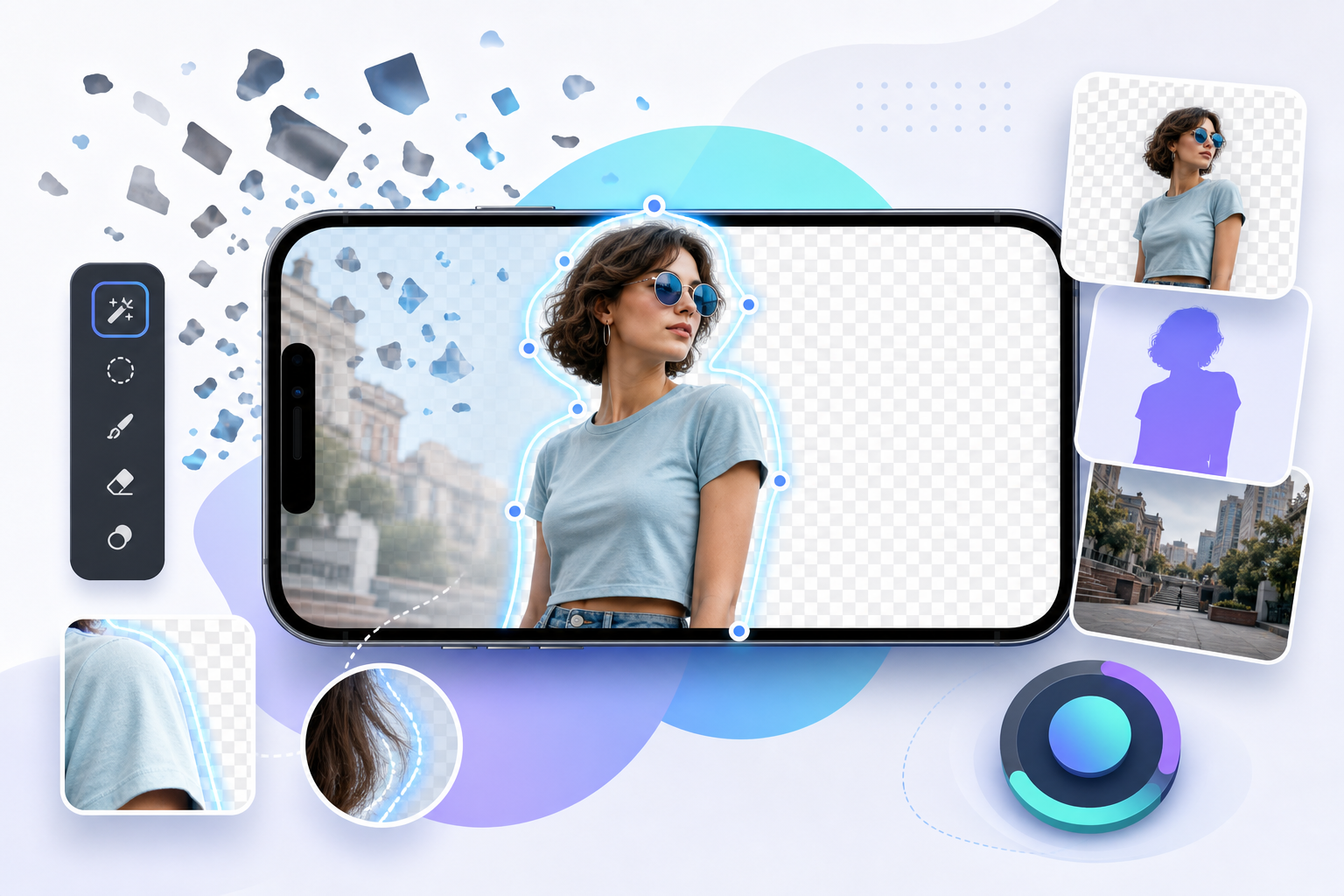
TouchRetouch is a background remover app for mobile users who want to edit photos directly on their device. Its Backgrounds feature automatically separates the main subject from the original backdrop, then lets you replace that background with a built-in photo preset or your own image from the device.
If you do not want a full replacement, the app also supports background blur. That is useful for portrait shots, profile pictures, and product images where you want more visual separation without changing the whole scene.
Who this mobile workflow is best for
This workflow fits people who need quick, clean edits for portraits, marketplace listings, social posts, thumbnails, and simple product photography. It is especially practical when you want to turn a cluttered room into a cleaner-looking scene or make a product stand out against a more controlled background.
TouchRetouch is also helpful after the cutout stage because it includes Remove Objects, Erase AI, Blur, and Clone Stamp. For example, you can replace a background, then clean up a leftover shadow or remove a distracting item from the edge of the frame. If needed, you can also remove glare from a photo before changing the background.
What TouchRetouch does not support
This page is about photo editing only. TouchRetouch does not support video editing, so it is not a solution for video cutouts or motion background replacement. It is also not a browser-based editor or standalone desktop tool; it is designed for mobile use on iOS and Android devices.
TouchRetouch is free to download; premium AI features require a paid subscription. Check the App Store or Google Play for current pricing, which varies by region. Some AI-powered features also require an internet connection and an active subscription.
How to remove a background and replace it on your phone
Start with a portrait, product shot, or clean subject photo
The easiest way to get a strong result is to begin with a clear subject photo. A portrait with space around the person, a product shot on a simple surface, or a pet photo with obvious subject separation gives the app more to work with than a low-resolution image with overlapping details.
This matters for any background remover image workflow. Fine hair, transparent objects, busy patterns, and low light can make automatic separation harder, while sharper photos with cleaner edges usually produce a more natural cutout.
Remove the original backdrop automatically
- Open TouchRetouch on your iPhone, iPad, or Android device.
- Select the photo you want to edit.
- Choose Backgrounds.
- Let the app automatically separate the subject from the background.
- Review the result and decide whether to keep the cutout look, replace the background, or add blur.
A common example is a portrait taken in a messy bedroom or office. Once the original backdrop is removed, the subject can be placed onto a cleaner preset or a custom image that feels more polished for a profile photo or social post.
Choose a preset, add your own image, or blur the background
After the cutout is ready, you can replace the old scene with one of the built-in photo presets or choose your own image from the device. That works well for product photos, such as placing a skincare bottle onto a brighter lifestyle background or changing a handmade item photo for a marketplace listing.
You can also add blur to the background for a softer depth-of-field effect. This often helps the subject sit more naturally in the frame, especially when the replacement scene feels too sharp or visually busy.
Results depend on photo resolution and scene complexity, but export preserves original photo quality and EXIF data. That is useful if you want to continue editing later or keep image metadata intact.
Transform your photos with TouchRetouch’s AI-powered tools — available on iOS and Android. Get it on Android here.Background remover png use cases for transparent-style cutouts
When a clean cutout is enough for your project
Many people searching for background remover png do not actually need advanced file-format controls. They want the visual result: a subject isolated from the old background so it can be reused in a cleaner layout, placed over another image, or prepared for a design app later.
That makes TouchRetouch a practical background remover tool for simple cutout tasks. You can remove the original backdrop, keep the subject isolated for later use, or immediately place it into a new scene inside the app.
Best uses for product photos, stickers, and profile images
Common use cases include product listings, social media posts, thumbnails, profile pictures, and lightweight promotional graphics. A seller can isolate a pair of shoes for a marketplace image, while a creator can cut out a portrait for a channel thumbnail or sticker-style social post.
For profile images, a clean cutout often looks better than a distracting room or street background. For product photos, replacing the scene can make the item easier to read at a glance.
How to prepare images for overlays and design apps
If you plan to move the image into another editor later, start with a photo where the subject clearly stands apart from the background. Strong edge contrast, simple lighting, and minimal overlap around hair, hands, or product corners usually make automatic separation easier.
When placing the subject onto a new scene, a little blur can help it feel less pasted-on. You can also refine the image afterward by using TouchRetouch to remove objects from photos on iPhone and Android if small distractions remain.
AI cutout tools vs online editors
When a mobile app makes more sense than a browser tool
Many users compare a dedicated app with a background remover online service before deciding. Browser tools can be convenient on desktop, but TouchRetouch is designed for editing directly on a phone or tablet, which is often more practical when the photo already lives in your camera roll.
That app-first workflow also keeps cleanup tools close by. After changing the background, you can use Remove Objects, Erase AI, Blur, or Clone Stamp in the same editing flow instead of switching between separate tools.
What to know about background remover online free options
If you are specifically looking for a background remover online free option, it helps to know that TouchRetouch is not a browser-based editor. It is a mobile app for iPhone, iPad, and Android, with background removal and replacement built into a broader photo cleanup workflow.
That difference matters when you want more than a basic cutout. For example, after replacing a background, you may still want to remove a wall mark, erase a stray object, or add shadow to an image after a cutout in a separate design step.
Limits around GIF and video requests
Some searchers also look for a background remover gif or a background remover video free tool. TouchRetouch does not support either use case because it edits photos only, not GIF animations or video files.
Some AI-powered features require an internet connection, so mobile access is part of the experience. If your goal is still-image cutouts, background replacement, and photo cleanup from a phone, the app fits well.
TouchRetouch compared with Canva, Adobe, and Pixelcut
A neutral look at general-purpose design platforms
Tools associated with searches like background remover canva or background remover adobe often make sense for broader design projects. They may suit template-based graphics, layouts, presentations, or multi-step creative work where the final output includes text, branding, and page composition.
Where TouchRetouch fits best in a mobile workflow
TouchRetouch fits best when the priority is fast mobile editing focused on the photo itself. It combines background removal, background replacement, and cleanup tools in one app-first workflow, which is useful when you want to edit a portrait, product image, or social photo directly from your phone.
Why cleanup tools matter after the cutout
That is where TouchRetouch stands apart from a simple cutout utility. After changing a background, you can use Remove Objects, Erase AI, Blur, or Clone Stamp to refine the image if small distractions remain. If you are comparing options such as background remover pixelcut, the right choice depends on your workflow: choose TouchRetouch for mobile convenience and cleanup-focused editing, or choose a broader design suite if layout-heavy work matters more.
Download TouchRetouch for iPhone and Android
What you need before you start
TouchRetouch is available on iOS and Android, including iPhone and Android phones. Start with a clear photo, then use Backgrounds to remove the old scene and build your new look on mobile.
Subscription and connection notes
TouchRetouch is free to download; premium AI features require a paid subscription. Check the App Store or Google Play for current pricing, which varies by region. Some AI-powered features require an internet connection and an active subscription.
Official download links only
Download TouchRetouch for free on iOS and start removing unwanted objects today. Get TouchRetouch on Google Play. Download only from the official App Store and Google Play listings to remove backgrounds and clean up photos safely on mobile.
Frequently Asked Questions
Can TouchRetouch remove a background from a photo on iPhone and Android?
Yes. TouchRetouch includes the Backgrounds feature for automatic background removal and replacement on iPhone, iPad, and Android devices. It is designed for photo editing on mobile, not desktop browser editing.
Can I replace the removed background with my own image in TouchRetouch?
Yes. After the app separates the subject from the original scene, you can choose a built-in photo preset or use a custom image from your device. You can also apply background blur instead of a full replacement.
Does TouchRetouch work as a background remover online free tool?
No. TouchRetouch is not a browser-based editor, so it does not work as a background remover online free website. It is a mobile app for iOS and Android, and premium AI features require a paid subscription.
Can TouchRetouch remove backgrounds from GIFs or videos?
No. TouchRetouch is a photo editing application only. It does not support GIF background removal or video editing.
Do I need a subscription or internet connection to use AI background features?
Yes, for premium AI features. TouchRetouch is free to download; premium AI features require a paid subscription, and some AI-powered features also require an internet connection and an active subscription.
If you want a practical mobile editor for cutouts, cleanup, and background replacement, TouchRetouch gives you a focused workflow without turning the job into a full design project. It is especially useful for portraits, product photos, profile images, and social content that need a cleaner setting.
For anyone searching for a background remover png solution on mobile, the key benefit is simple: remove the old background, place your subject into a better scene, and refine the photo in the same app. Try TouchRetouch if you want an easy way to clean up and transform photos directly from your phone.
FAQ
How can I create a background remover png on my phone?
You can create a background remover png on your phone by isolating the subject, removing distracting elements, and exporting the image as a PNG with transparency using a mobile editing app.
Is a mobile background remover tool good enough for product and social images?
Yes, a mobile background remover tool can work well for product photos, social posts, and quick cutouts when you need clean edges and a simple editing workflow.
What is the benefit of saving cutouts as PNG files?
PNG files support transparent backgrounds, which makes them ideal for placing subjects onto new backgrounds, graphics, or marketing layouts without a visible box around the image.
Can I remove distracting objects before making a PNG cutout?
Yes, removing unwanted objects before exporting your cutout helps create a cleaner final image and makes the subject stand out more naturally.