
TouchRetouch as a Photos Extension
Why can’t I access the app from Photos?
In iOS 18, Apple moved extensions to a new location. To find them, open the Photos app, tap Edit at the bottom, then tap the three dots at the top. You’ll see extensions in the drop-down menu.
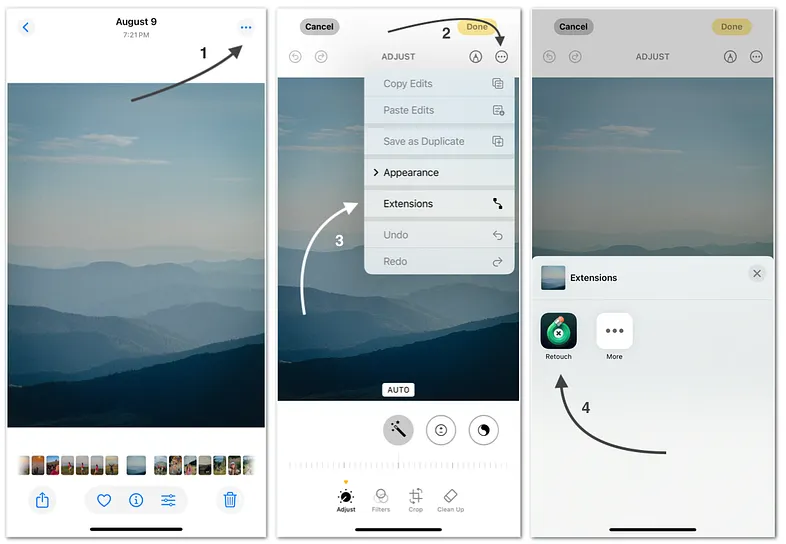
TouchRetouch as a Photos Extension
Why are some tools missing in the extension but available in the app?
Some tools — like Backgrounds and Erase AI — aren’t included in the extension due to memory limits set by Apple. These features need more resources than the extension can provide, but they work seamlessly in the standalone app.
Why am I experiencing resolution limitations?
Resolution limits in the TouchRetouch extension are due to restrictions set by Apple, which we cannot control. For full resolution, try editing your photo in the standalone app, or use Action Extension > Import to Retouch. This method allows saving in the original resolution, but the Modify Original option may not always be available.
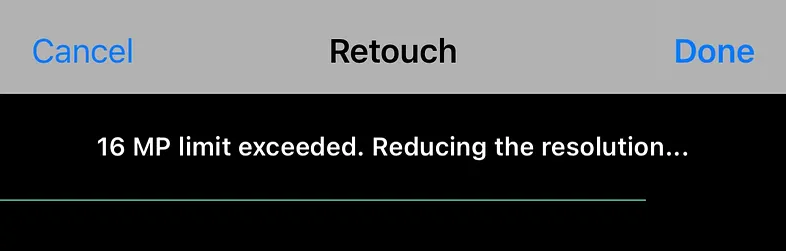
Resolution limits


